Rental Desk Assistant
An AI booking desk for car rental companies that quotes real prices for the dates asked on WhatsApp and Instagram, takes bookings, collects licence and ID photos, sends pick-up and return reminders and handles roadside problems.
Overview
Rental Desk Assistant is the booking desk of a car rental company (city offices, airport desks, delivery to hotels and homes) on WhatsApp, Instagram and web chat, around the clock and in the renter’s own language, including voice messages.
It quotes real prices for the dates asked, takes the booking, collects the driving licence and ID photos, sends the pick-up details and return reminders, and looks after renters who have a problem on the road.
Highlights
- Prices it works out, never guesses. Day rate per car class, season changes, length discounts, young-driver fee, extras, one-way, delivery and out-of-hours fees, worked out the same way every time from your own numbers.
- Documents before pick-up. After booking, the renter sends a photo of their driving licence and ID or passport in the chat. You approve or reject them before pick-up, and a returning renter does not send them twice.
- Two ways to book. Requests the desk confirms with one tap, or instant confirmation when a car of the class is free, counted from your fleet numbers.
Install and set up
- Install Rental Desk Assistant from Settings › MonoStore › Apps, or open the install link app.monochat.ai/apps/CFrmjZTtgg4sGEpnK. Without a MonoChat account, the link lets you sign up first and installs the app for you.
- Open the Get started tab on your MonoChat home page and choose Set up your rental company. The form asks for What kind of rental company?, the Company name, city, address, phone, currency, time zone, Desk hours (when cars are picked up and returned), Pick-up locations, whether We also bring cars to hotels and homes, and How should bookings be confirmed? (the assistant takes a request with the price and the desk confirms it, or the assistant confirms at once when a car of the class is free). A starting list of car classes, extras and the usual rules is filled in. Tick Also load sample data so I can see it full if you want every screen filled with example records. Click Save and continue.
- Open Rentals › Car classes and add your day rates and deposits. Check Extras, Seasons, Rental rules and Locations, and add your Drivers if you deliver cars.
- Open Rentals in the left menu and click the green power button (Turn on) in the header. The Turn the assistant on drawer lists what will start; confirm it. The badge next to the title changes from Off to On. Only someone who can manage automations in the workspace sees the power button and can turn the assistant on or off.
- Choose Try it on your own phone on the Get started tab and message your own number the way a customer would.
- Nothing goes out in quiet hours or to anyone who said stop.
- The come-back message months later is marketing and is off by default.
Features
Car cards
Photos, seats, bags, gearbox and the price for the dates asked.
Pick-up details
The documents still missing two days before pick-up, then the pick-up details the day before with All good, Change time and Cancel buttons.
Returns and extensions
Return reminders with +1 day, +2 days and Another date. One tap prices the extension and agrees it or asks the desk. A monthly renter is offered another month a few days before the return.
Late cars and ratings
An alert to the desk when a car is late back, and “How was the rental?”: happy renters get your review link, unhappy ones reach you.
Delivery and collection
Cars brought to a hotel or home and collected from one become jobs on the dispatch board. Give a job a driver, tap On the way and Arrived, and the renter is told each time with the driver’s name.
Damage and roadside
Accident, breakdown, flat tyre, damage or lost key: the assistant opens an incident at once, gives the emergency and roadside numbers, asks for photos and a live location, and hands urgent ones to the team.
The desk
Today’s pick-ups, returns, late cars and requests, each opening the booking to hand the car over (plate, km, fuel) or take it back, plus a planner with every rental on the calendar, one colour per class.
Reports
Revenue, fleet use per class, extensions, incidents and ratings, next to bookings, renters and messages taken.
Screenshots
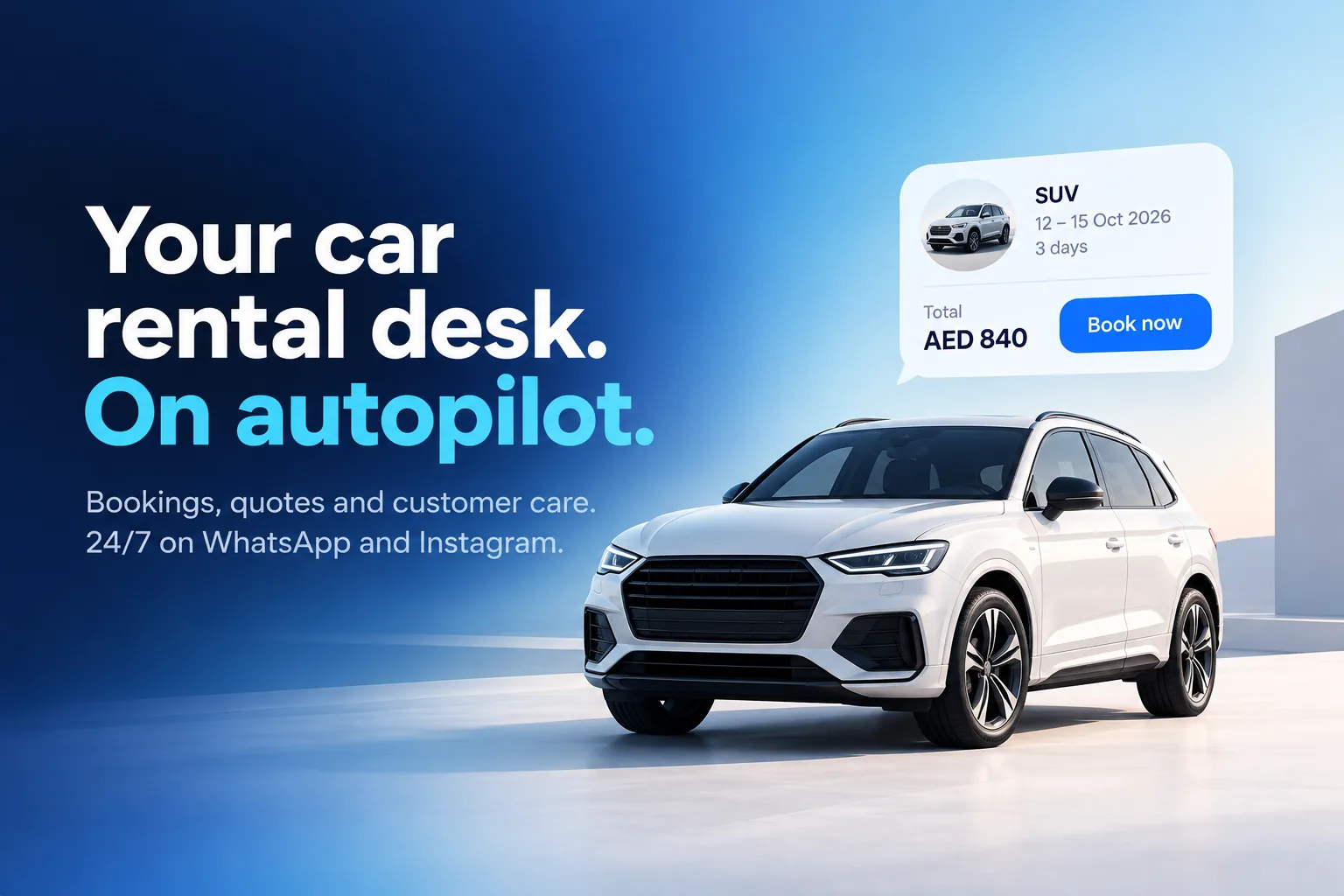 Rental Desk Assistant quoting an SUV for three days with a Book now button
 A price for the dates asked: daily rate, airport pick-up and insurance
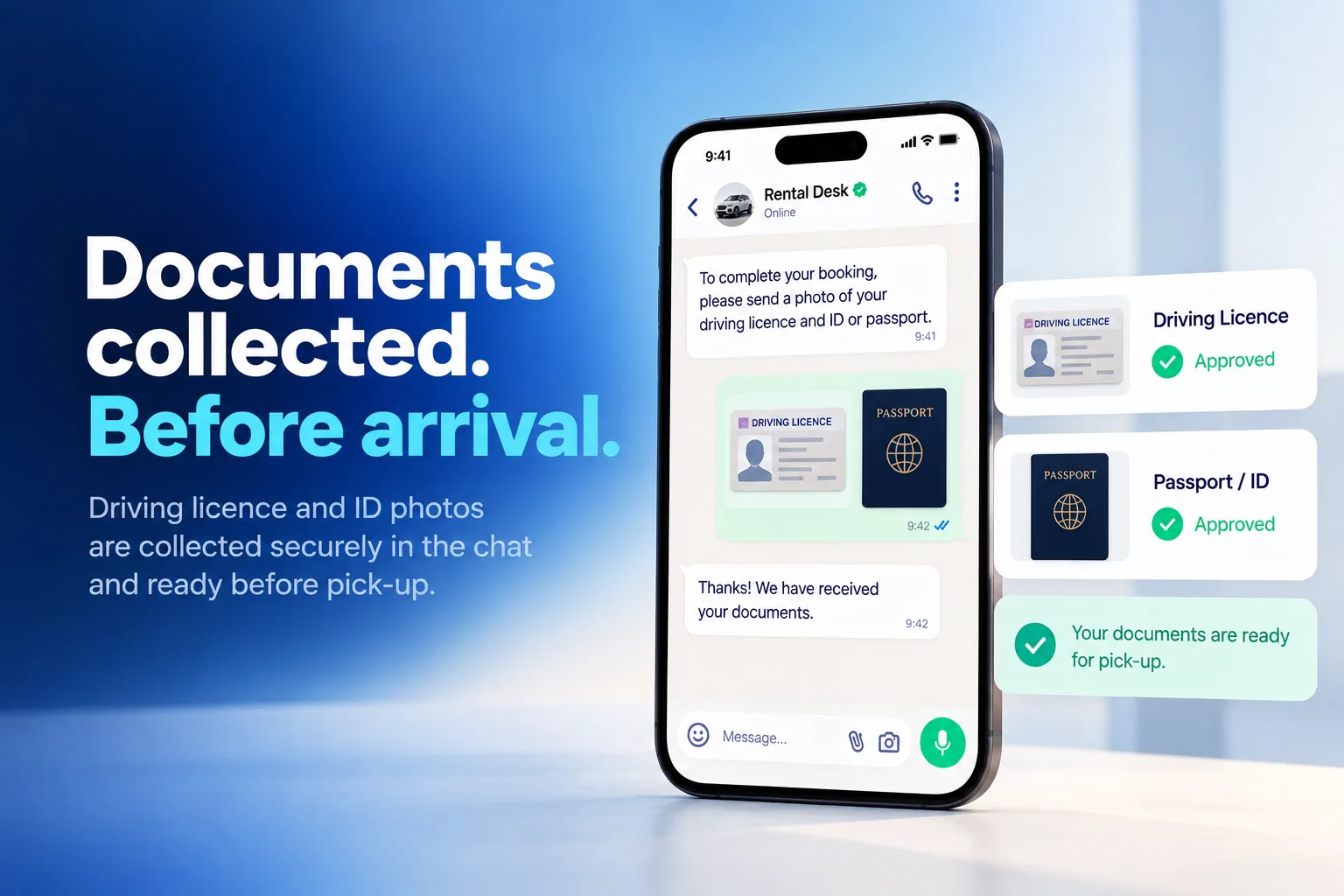 Driving licence and passport photos collected in the chat and approved before pick-up
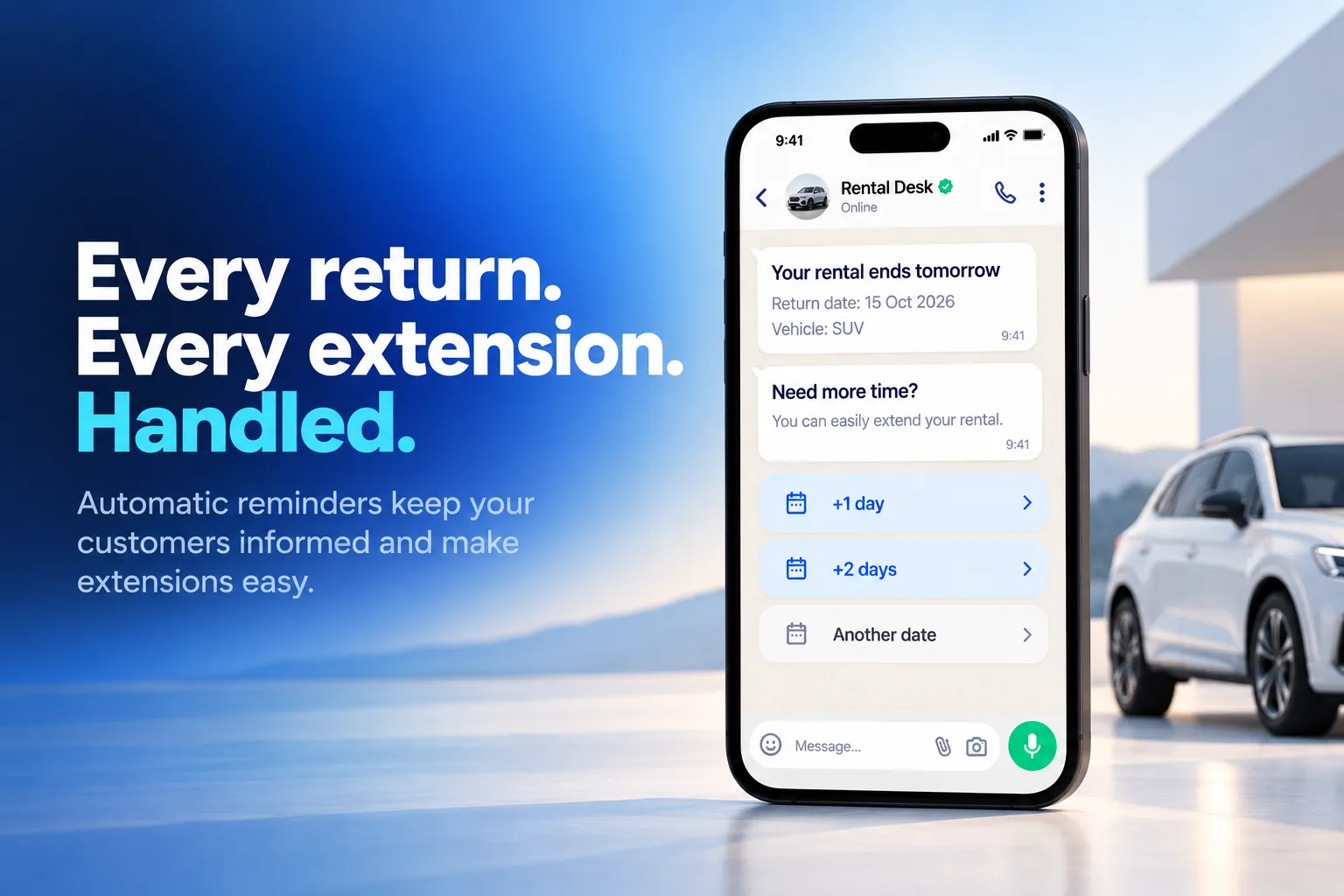 Return reminder with +1 day, +2 days and Another date buttons
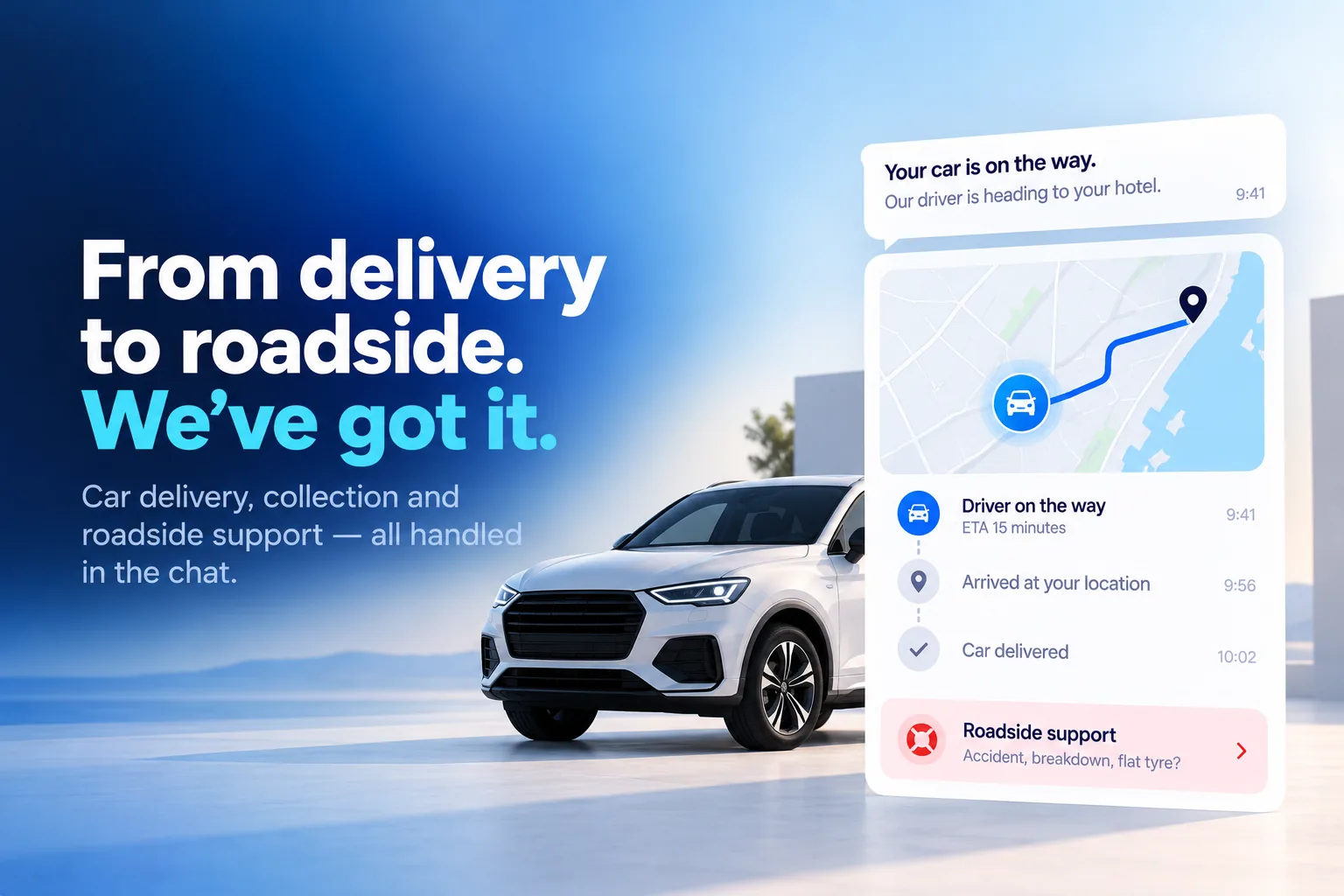 Delivery tracking with the driver on the way, and roadside support in the chat
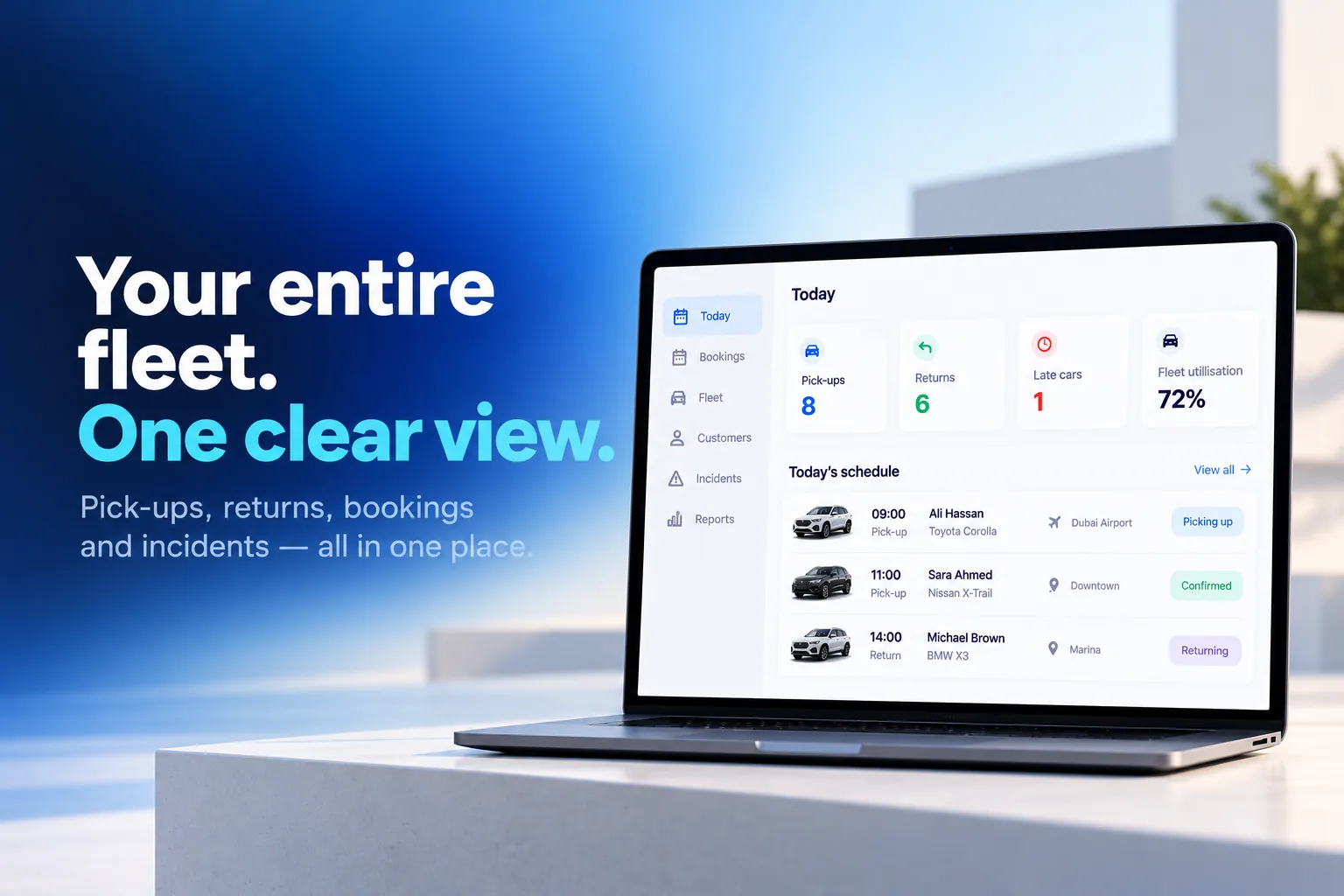 Today screen with pick-ups, returns, late cars and fleet use
FAQ
Which rental companies is it for?
Car rental companies with city offices, airport desks or delivery to hotels and homes.
How does it work out prices?
From your own numbers: day rate per car class, season changes, length discounts, young-driver fee, extras, one-way, delivery and out-of-hours fees, the same way every time.
Does it confirm bookings by itself?
You choose. Bookings can be requests the desk confirms with one tap, or confirmed instantly when a car of the class is free, counted from your fleet numbers.
How are driving licences and IDs collected?
After booking, the renter sends photos in the chat and the app files them on the renter card. You approve or reject them on the Documents screen before pick-up, and a rejected one is asked for again.
What happens if a renter has a problem on the road?
The assistant opens an incident at once, gives the emergency and roadside numbers, asks for photos and a live location, and hands urgent ones to your team. Updates you write on the incident reach the renter in the chat.
Which channels and languages does it support?
WhatsApp, Instagram and web chat, around the clock, in the renter’s own language, including voice messages.