Real Estate Assistant
An AI front desk for real estate agencies that sends matching listings as WhatsApp cards, books viewings with reminders, tracks where every lead comes from, runs project launch campaigns, and handles tenants’ rent, documents and repairs.
Overview
Real Estate Assistant is the front desk of a real estate agency on WhatsApp, Instagram and web chat. It covers sales, lettings, new-development sales and property management, works around the clock, and answers in the customer’s own language, including voice messages.
It finds homes that fit what people ask for and sends them as listing cards, books viewings and reminds people about them, and asks how each viewing went. It answers questions about your new projects, and for tenants it handles rent, documents and repairs.
Whenever a person is needed, it hands over to an agent.
Highlights
- Listings as WhatsApp cards. Buy or rent, area, budget, bedrooms and type are recorded as the customer says them. The best matches go out as cards with a photo, the price as you wrote it, bedrooms, size and area, plus More photos and Book a viewing buttons.
- Nothing invented. A listing without a price is “price on request”, a home just over budget or in another area comes with an honest “but”, and listings already sent are not sent again.
- Where your leads come from. Portal (by name), Meta ad (with its headline), Instagram, Facebook, website, referral, walk-in or board, with a report of how many leads each source brings, how many reach a viewing and how many are won.
Install and set up
- Install Real Estate Assistant from Settings › MonoStore › Apps, or open the install link app.monochat.ai/apps/9moF27RWoG5bECwgB. Without a MonoChat account, the link lets you sign up first and installs the app for you.
- Open the Get started tab on your MonoChat home page and choose Set up your agency. The form asks for What kind of agency? (sales, lettings, sales and lettings, developer or new-project sales office, or property management), the Agency name, Office address, phone, currency, the unit sizes are in, time zone, office hours, Areas you cover, Property portals you list on and How should viewings be booked? (requests an agent confirms, or the assistant books a free viewing time at once). Tick Also load sample data so I can see it full if you want every screen filled with example records. Click Save and continue.
- Open Property desk › Listings and add your listings with photos. A listing without a price is offered as "price on request". If you sell new developments, add them on the Projects tab with their payment plan, floor plans and brochure.
- Open Property desk in the left menu and click the green power button (Turn on) in the header. The Turn the assistant on drawer lists what will start; confirm it. The badge next to the title changes from Off to On. Only someone who can manage automations in the workspace sees the power button and can turn the assistant on or off.
- Choose Try it on your own phone on the Get started tab and message your own number the way a customer would.
- Each automatic message has its own switch. Nothing goes out in quiet hours or to anyone who said stop.
- Launch campaigns go out a little at a time as approved WhatsApp marketing messages and leave out people reached in the last 14 days.
- Screens are in English, Turkish, German, French, Arabic, Indonesian and Vietnamese; automatic messages also in Romanian. The assistant answers in the language each customer writes in.
Features
Carousel and portal enquiries
Several homes are sent as a swipeable carousel on WhatsApp, or as cards one by one on other channels. A reference quoted from a portal ad is looked up straight away.
Viewings
Requests an agent confirms with one tap, or instant booking of a free time from your viewing days, hours, length and the number of agents who can show at once.
Reminders and feedback
Reminders the evening before and on the morning of the viewing with I’ll be there, Change time and Cancel. After the viewing: Interested, Still thinking or Not for me, and “not for me” leads to better-fitting homes.
Lead stages
New, Qualified, Viewing, Offer, Won or Lost, with the requirements, matching listings and viewings on every lead. New leads can be given to your agents in turn.
New projects and launch campaigns
Projects with developer, unit types, starting price, handover and payment plan, plus the payment plan, floor plans, brochure and photos to send. Launch campaigns go to a segment you choose, are off by default and never reach anyone who opted out.
Rent reminders
Before, on and after the due date, with Pay now, Already paid and Talk to us. With a payment integration, Pay now sends a payment link and a receipt goes out; without one, your payment instructions are sent.
Tenancy documents and repairs
Documents a new tenant needs are asked for in the chat and filed for you to approve. Repairs are reported with photos and triaged for urgency; give a request to a contractor and every update reaches the tenant.
The desk
Today’s viewings, viewing requests, new leads, overdue rent and repairs, a lead card next to every conversation, and reports on leads by source, viewings, rent collected and campaign replies.
Screenshots
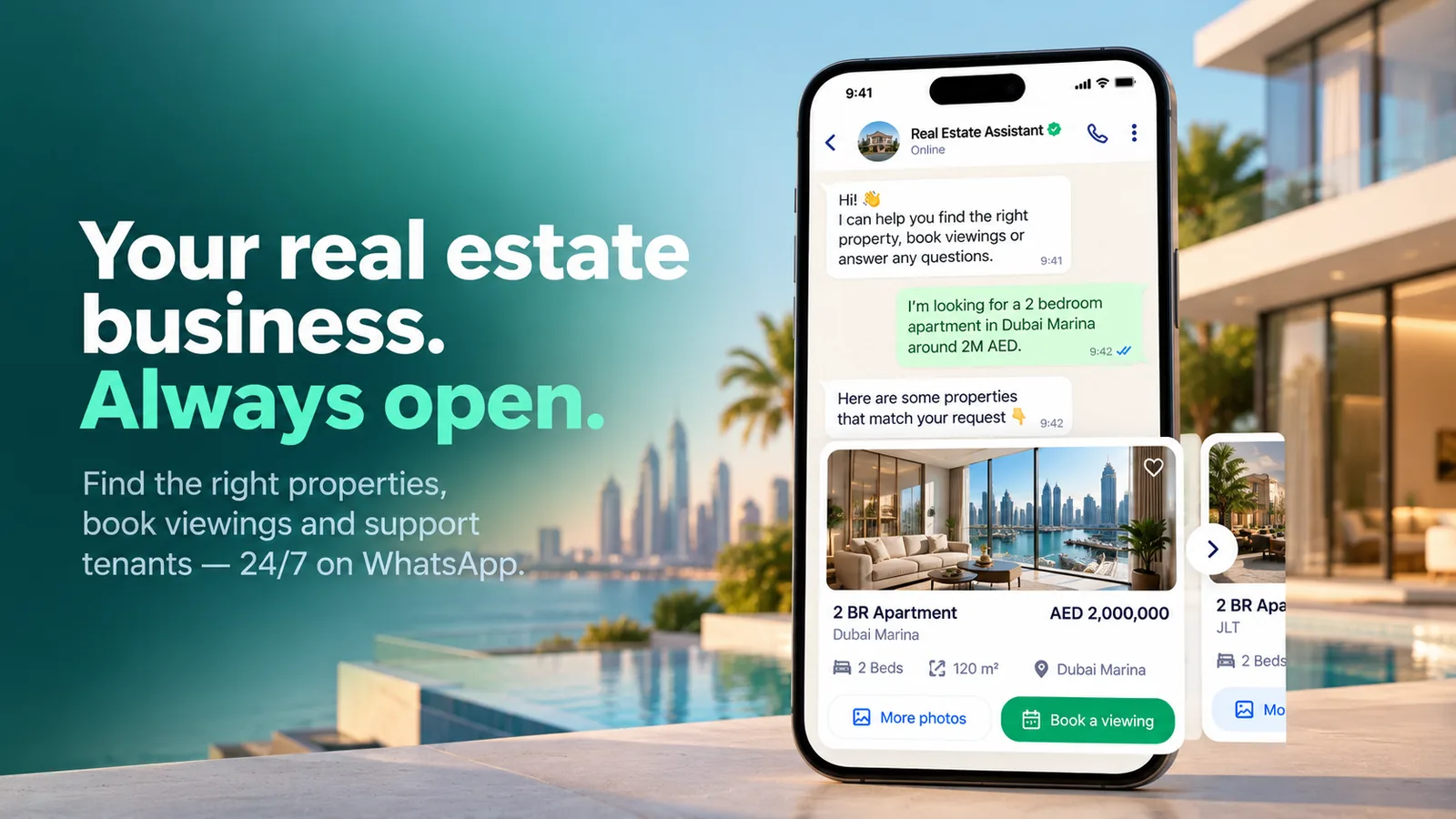 Real Estate Assistant sending matching apartments as WhatsApp listing cards
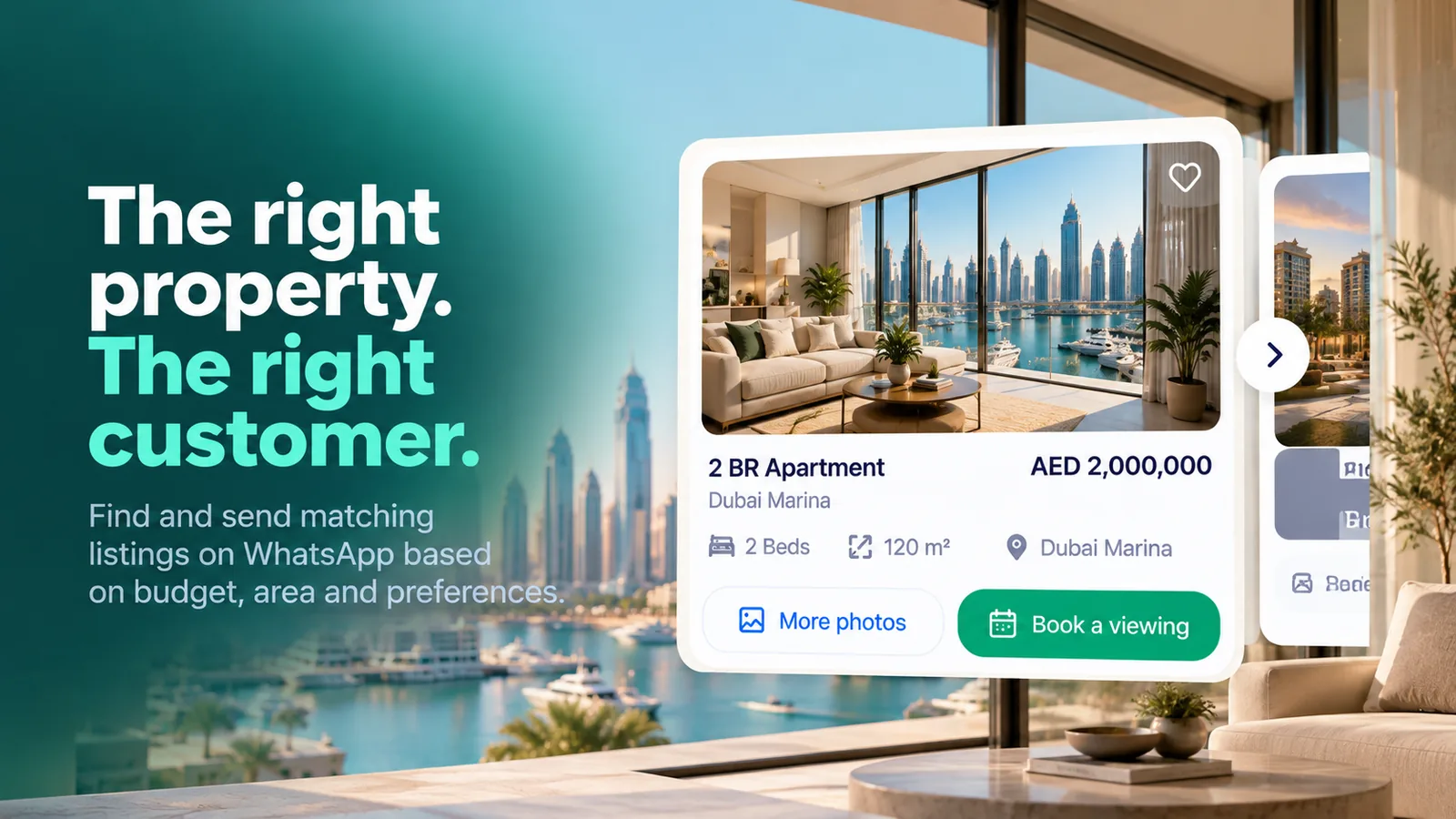 A listing card with price, bedrooms, size, area, More photos and Book a viewing
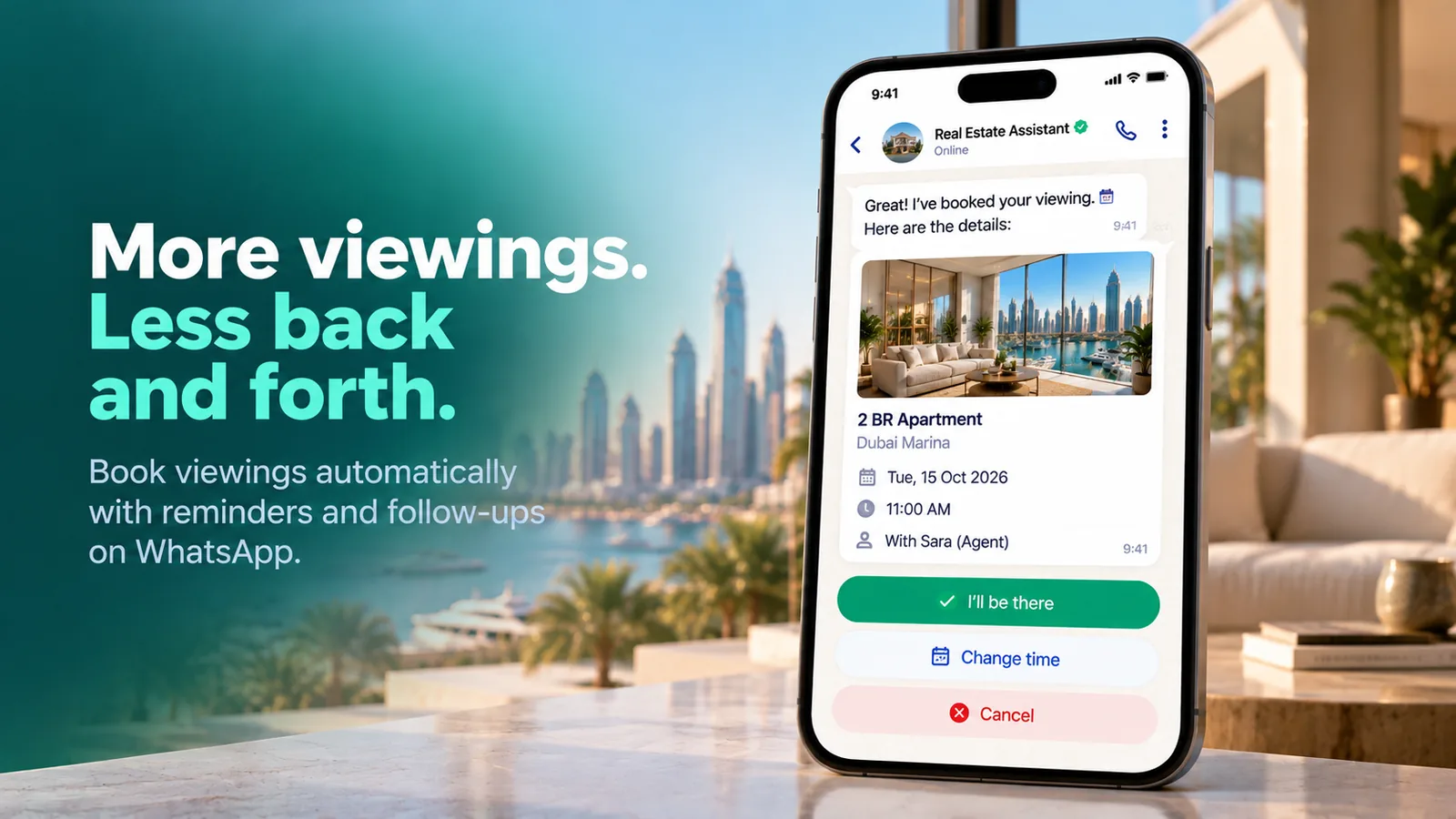 A booked viewing with I’ll be there, Change time and Cancel buttons
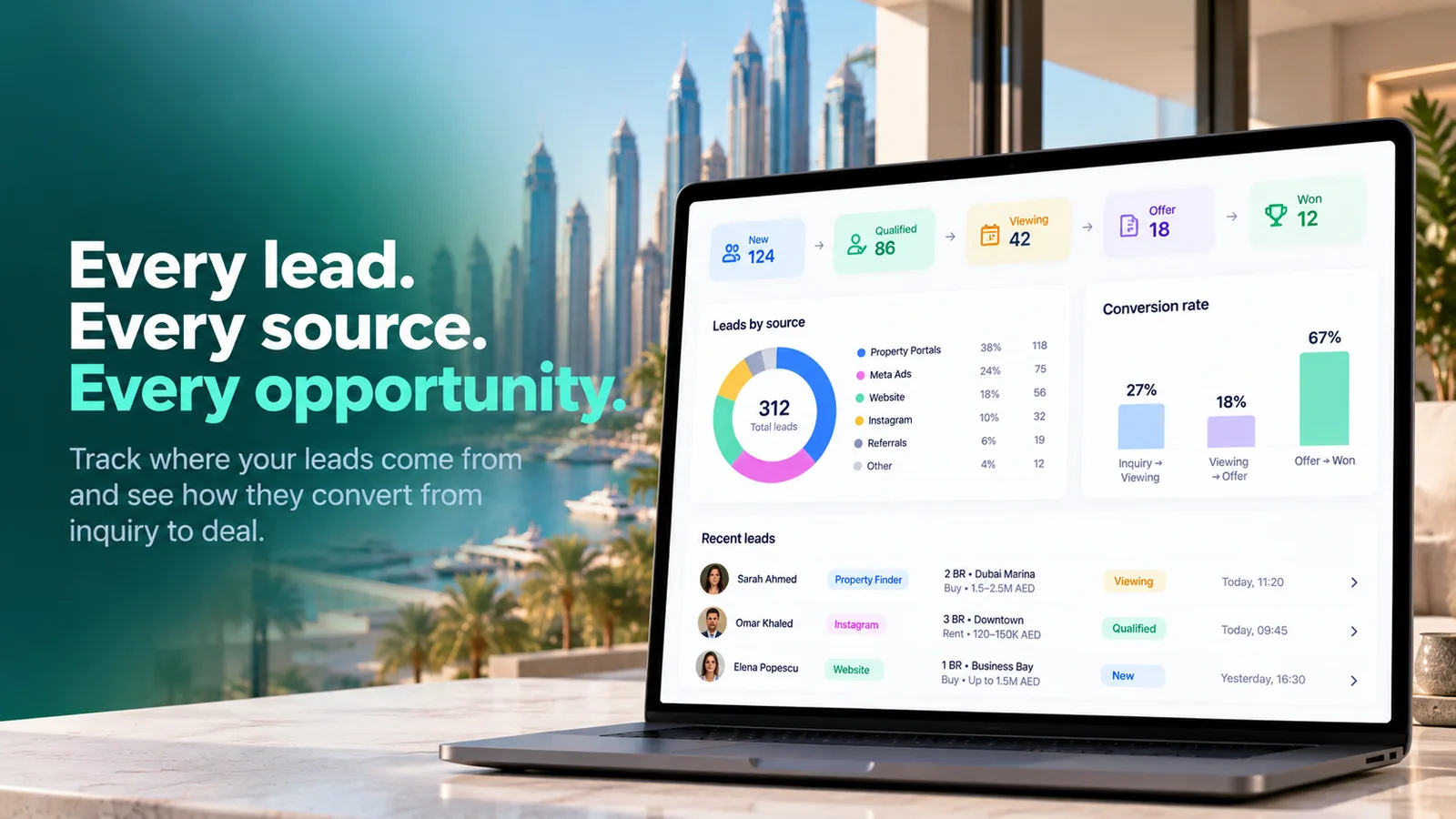 Lead pipeline with leads by source and conversion from enquiry to deal
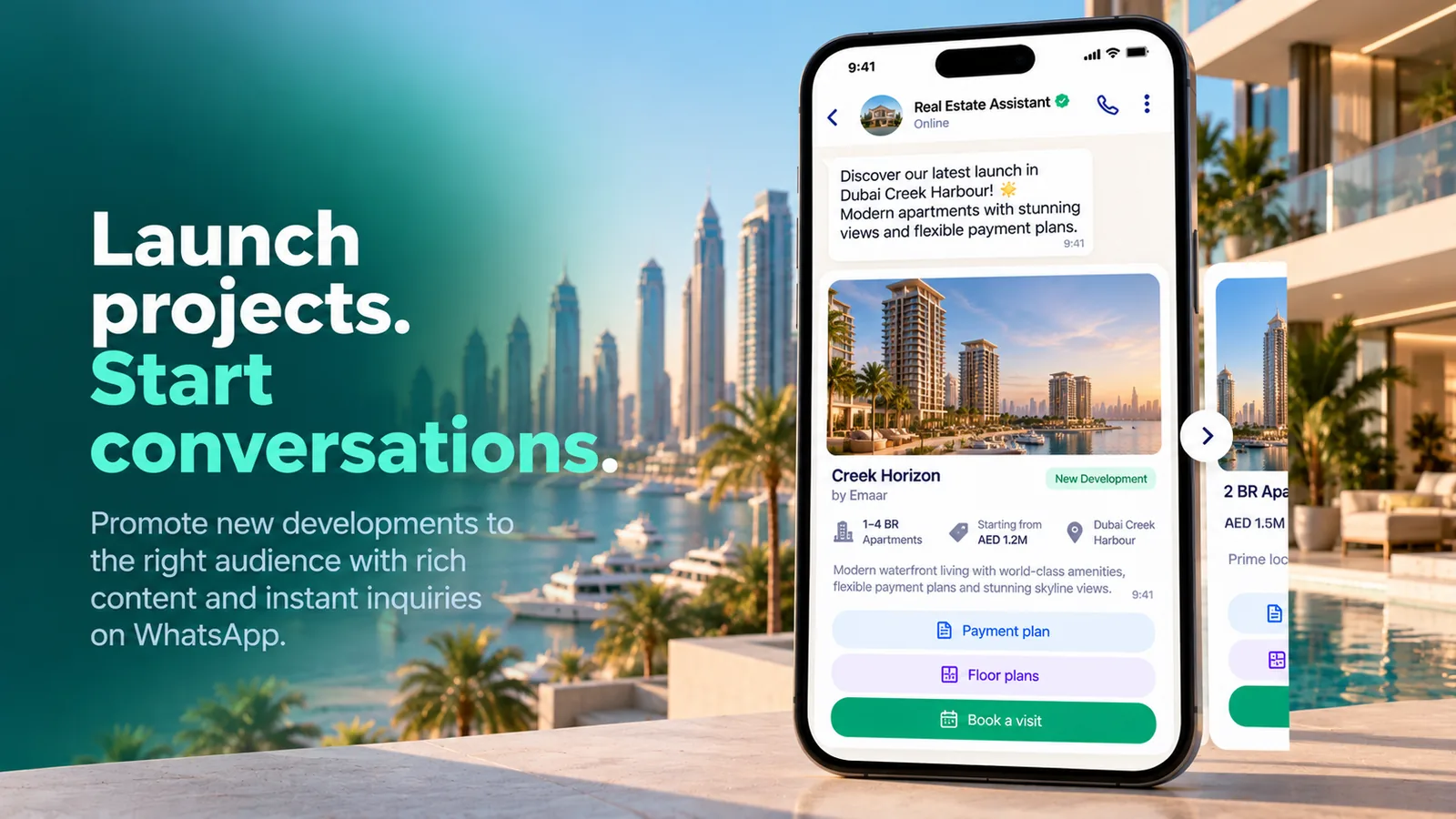 A new project launch message with Payment plan, Floor plans and Book a visit buttons
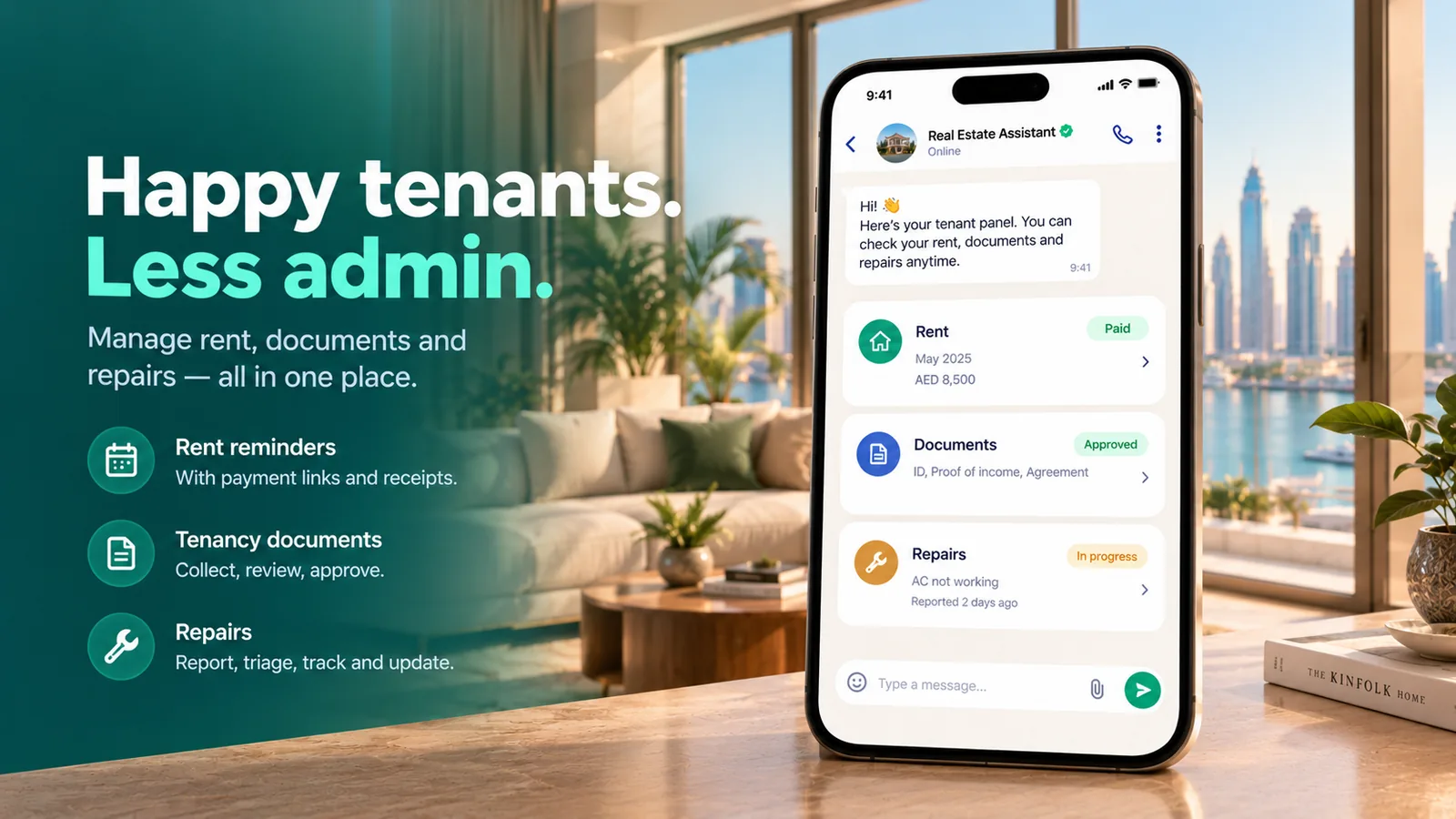 Tenant panel with rent, tenancy documents and repairs
FAQ
Which agencies is it for?
Real estate agencies doing sales, lettings, new-development sales and property management.
How does it pick which listings to send?
It records buy or rent, area, budget, bedrooms and type as the customer says them, and sends the best matches as cards. A listing just over budget or in another area comes with an honest “but”.
Can it book viewings by itself?
You choose. Viewings can be requests an agent confirms with one tap, or booked instantly into a free time from your viewing days, hours, length and the number of agents who can show at once.
Can it promote new projects?
Yes. Pick a project, write one or two sentences and choose the segment. The message carries Payment plan, Floor plans and Book a visit buttons and goes out as an approved WhatsApp marketing message. Campaigns are off by default.
Does it collect rent?
It sends rent reminders before, on and after the due date. When your workspace has a payment integration, Pay now sends a payment link and the payment is marked by itself; otherwise your payment instructions are sent.
Which languages does it support?
The assistant answers in the language each customer writes in. Screens are in English, Turkish, German, French, Arabic, Indonesian and Vietnamese, and automatic messages also in Romanian.