Session Link
Get a direct link to a customer’s conversation from your own systems; the customer and the conversation are created if they do not exist yet.
Overview
One API call with a channel and a customer’s phone number or email returns a link that opens that customer’s conversation in MonoChat. If the customer or the conversation does not exist yet, they are created.
Put the link in your CRM, help desk or order screen and your team jumps straight from there to the chat.
Highlights
- Open or create. Works for a customer on a given WhatsApp, Instagram or other channel, by phone number or email.
- Route on the way. Assign the conversation to an agent, by id or email, or to a workgroup in the same call.
- Same customer, same conversation. Calling it again for the same customer and channel returns the existing conversation.
Install and set up
- Install Session Link from Settings › MonoStore › Apps, or open the install link app.monochat.ai/apps/vvKJe8Nbp4EQNy2KA. Without a MonoChat account, the link lets you sign up first and installs the app for you.
- Create an API token under Profile › API Tokens. The token is shown only once, so copy it right away. See API Tokens.
- Open Settings › Session Link API. The documentation there shows your workspace's exact endpoint address and ready-to-copy example requests. Try the example with one of your channels.
- Add a "Chat on WhatsApp" button to your CRM, help desk or order screen that calls the API and opens the returned
url.
- The link opens MonoChat for people who are signed in and allowed to see that conversation.
- The call only opens the conversation; it does not send the customer a message. Use WhatsApp Template API to write first.
Features
Conversation link
The answer gives the link that opens the conversation in MonoChat and the conversation’s id.
Customer created if needed
A new customer is created with the first and last name you send; the answer tells you whether the customer was already known.
Assignment
Assign to an agent by id or email, or to a workgroup.
Documentation screen
The API reference with your workspace’s exact endpoint address and ready-to-copy example requests.
API reference
The call is a POST with a JSON body, authenticated with an API token.
POST https://app.monochat.ai/api/<slug>/custom-functions/<app-folder>/methods/session-link.js
Authorization: Bearer <API_TOKEN>
Content-Type: application/json
<slug>is your workspace's tenant slug, the part after/tenants/in your MonoChat address.<app-folder>is the folder the app was installed in. The Settings › Session Link API screen shows the full address with both filled in.- Create the token under Profile › API Tokens. See API Tokens.
Request fields
| Field | Required | Description |
|---|---|---|
connectorBrand | yes | The channel type, for example whatsapp or instagram. |
channelUsername | yes | Your channel's username in MonoChat, for example your WhatsApp number without +. |
customer.identityType | yes | phoneNumber or email. |
customer.identity | yes | The customer's phone number (country code, no +) or email address. |
customer.firstname, customer.lastname | no | Used when the customer is new to MonoChat. Default -. |
assignment.type | no | agent (agent user id), agentIdentity (agent email) or workgroup (workgroup id). |
assignment.value | with assignment.type | The id or email to assign the conversation to. |
Example request
curl --location 'https://app.monochat.ai/api/<slug>/custom-functions/<app-folder>/methods/session-link.js' \
--header 'Content-Type: application/json' \
--header 'Authorization: Bearer <API_TOKEN>' \
--data '{
  "connectorBrand": "whatsapp",
  "channelUsername": "905334445566",
  "customer": {
    "identityType": "phoneNumber",
    "identity": "905306667788",
    "firstname": "Ayşe",
    "lastname": "Yılmaz"
  },
  "assignment": { "type": "agentIdentity", "value": "sarah@yourcompany.com" }
}'
Response
{
  "result": {
    "url": "https://app.monochat.ai/tenants/<slug>?tab=messages&sessionTab=all&filter=…&_id=<sessionId>",
    "sessionId": "Zeii7vpeeFFnsJepZ",
    "isOldUser": true
  }
}
| Field | Description |
|---|---|
url | Opens the conversation in MonoChat. |
sessionId | The conversation's id. The same customer on the same channel always gets the same conversation. |
isOldUser | false when the customer was created by this call. |
Errors
A failed call answers with an error status and a message:
| Message | Cause |
|---|---|
connectorBrand, channelUsername and customer fields are required | A required top-level field is missing. |
customer.identityType must be one of: phoneNumber, email | identityType is missing or has another value. |
customer.identity field is required | The customer's phone number or email is missing. |
Channel not found | No channel of that type with that username in your workspace. |
Customer Channel not found | The customer could not be matched to a channel identity. |
Agent user not found | No agent with the email given in assignment.value. |
401 | The Authorization header is missing or the token is invalid. |
Screenshots
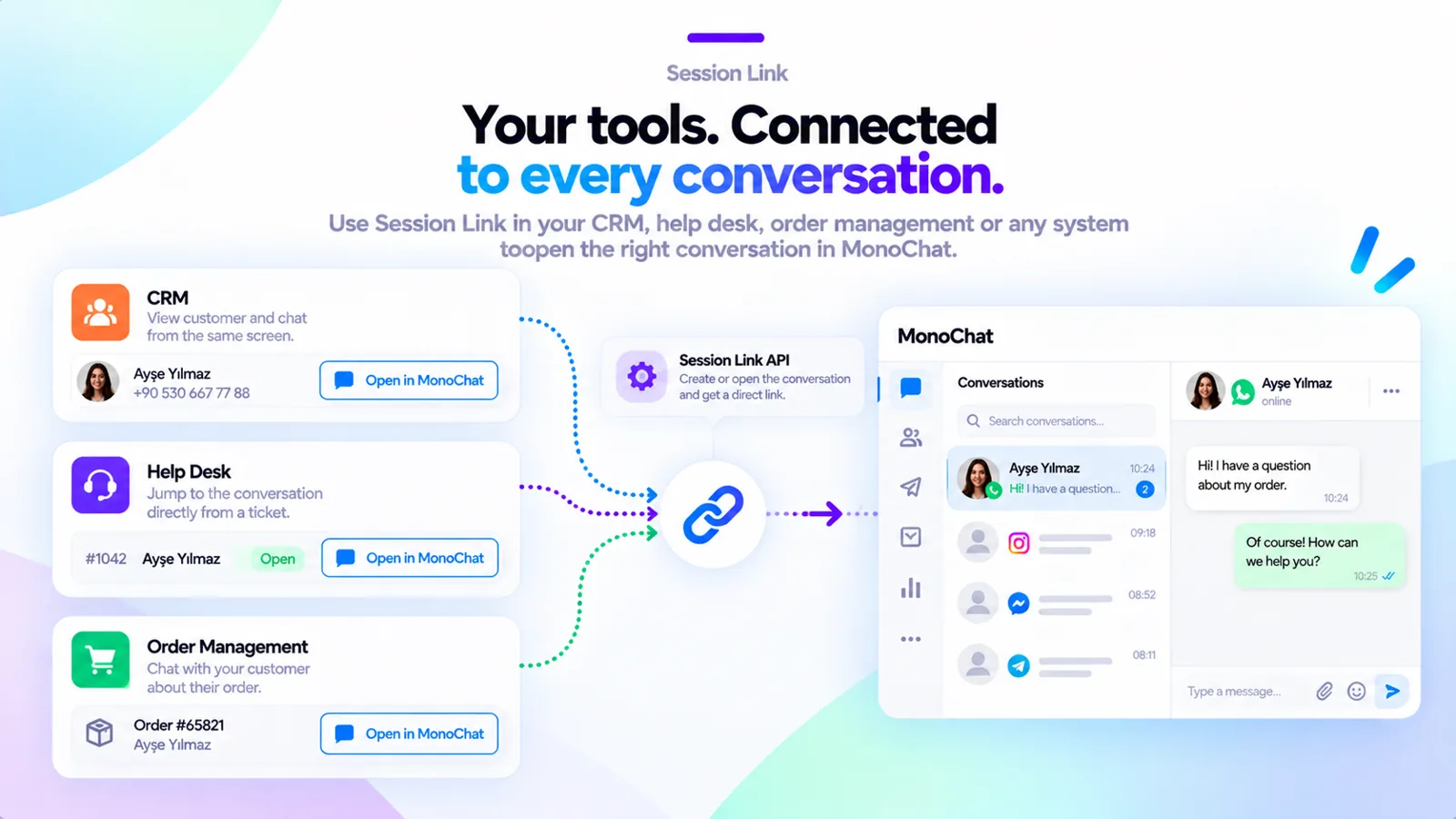 A CRM, help desk and order management screen each opening the right conversation in MonoChat
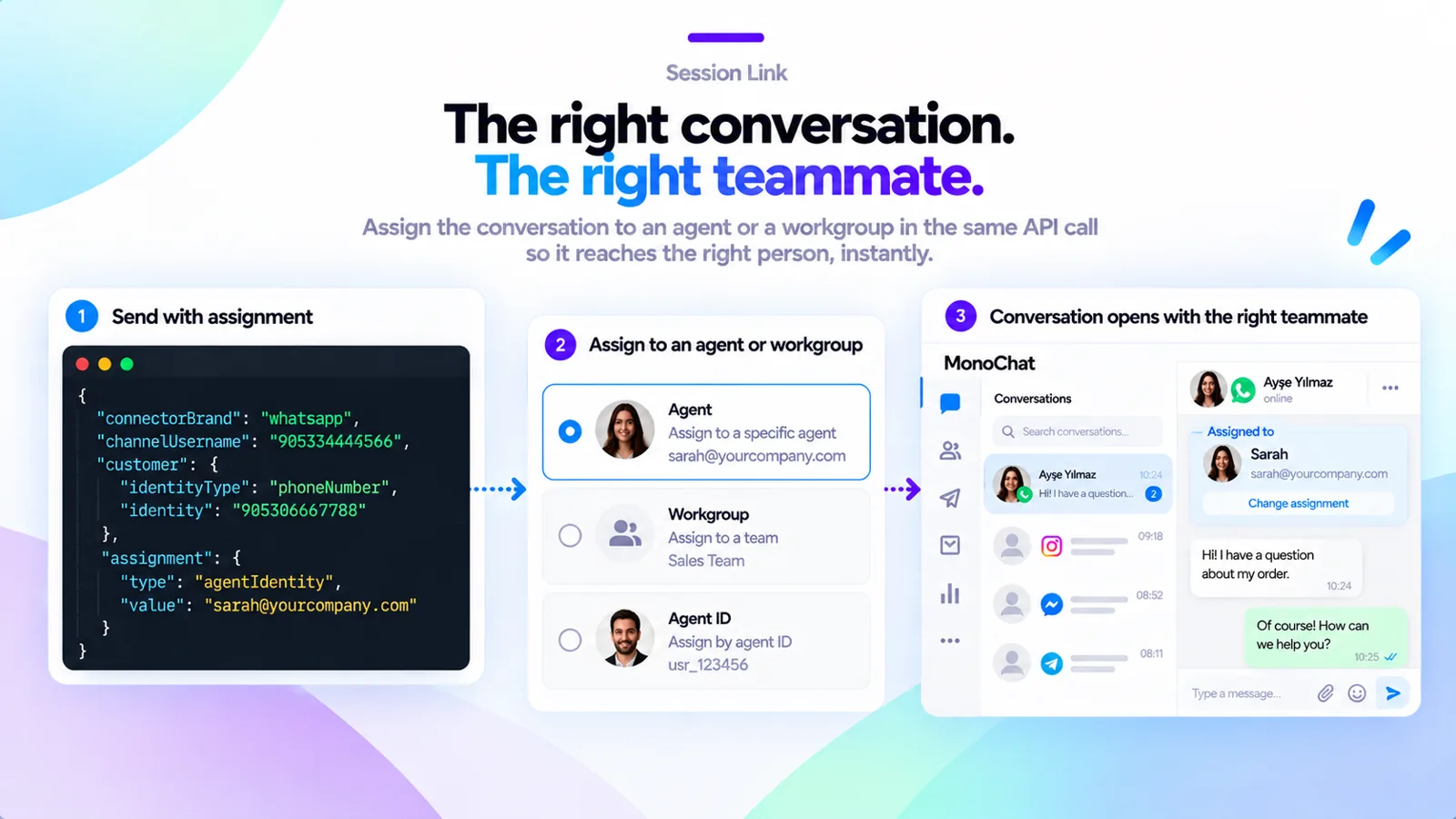 Assigning the conversation to an agent or a workgroup in the same API call
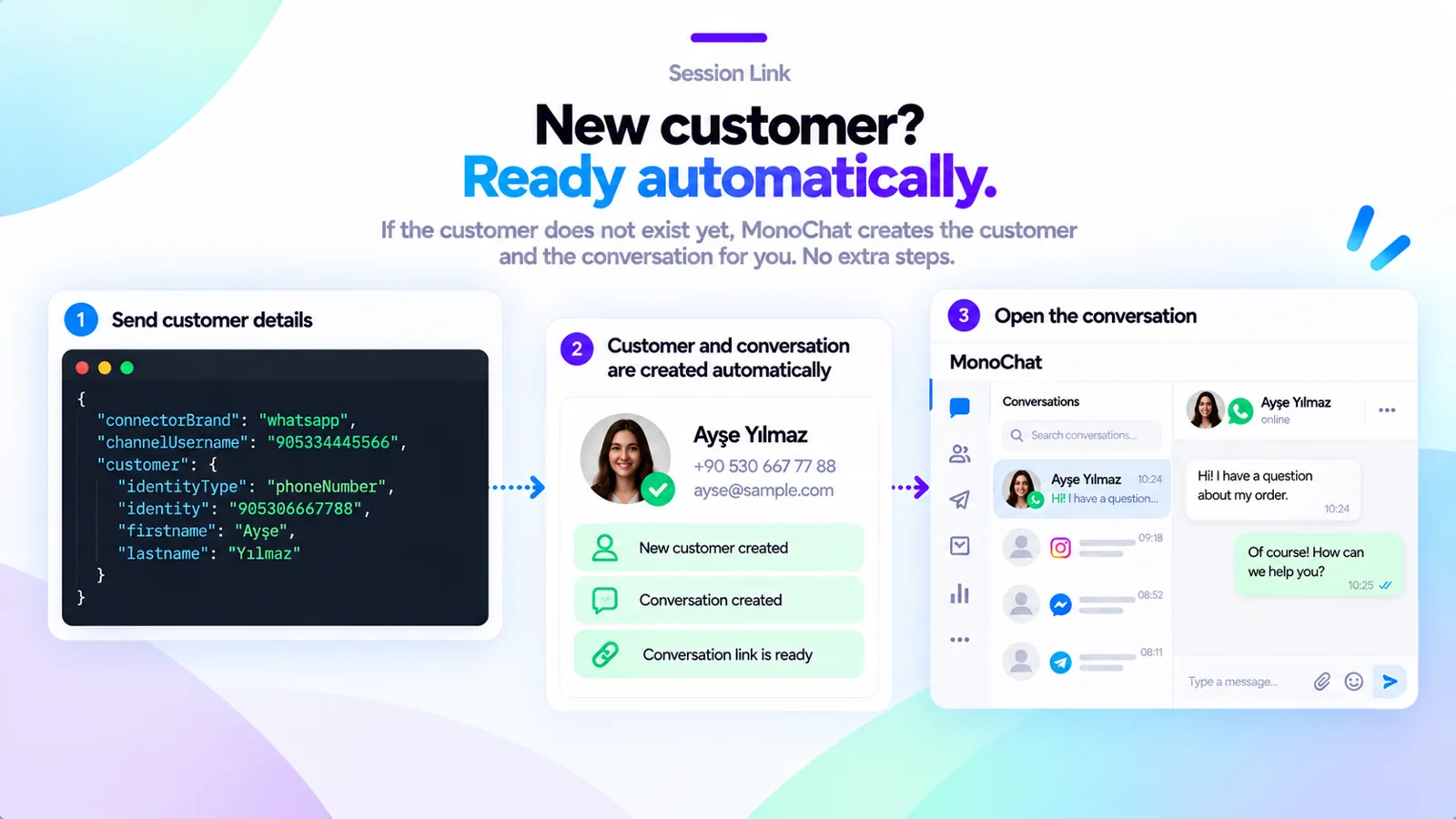 A new customer and conversation created automatically from the API request
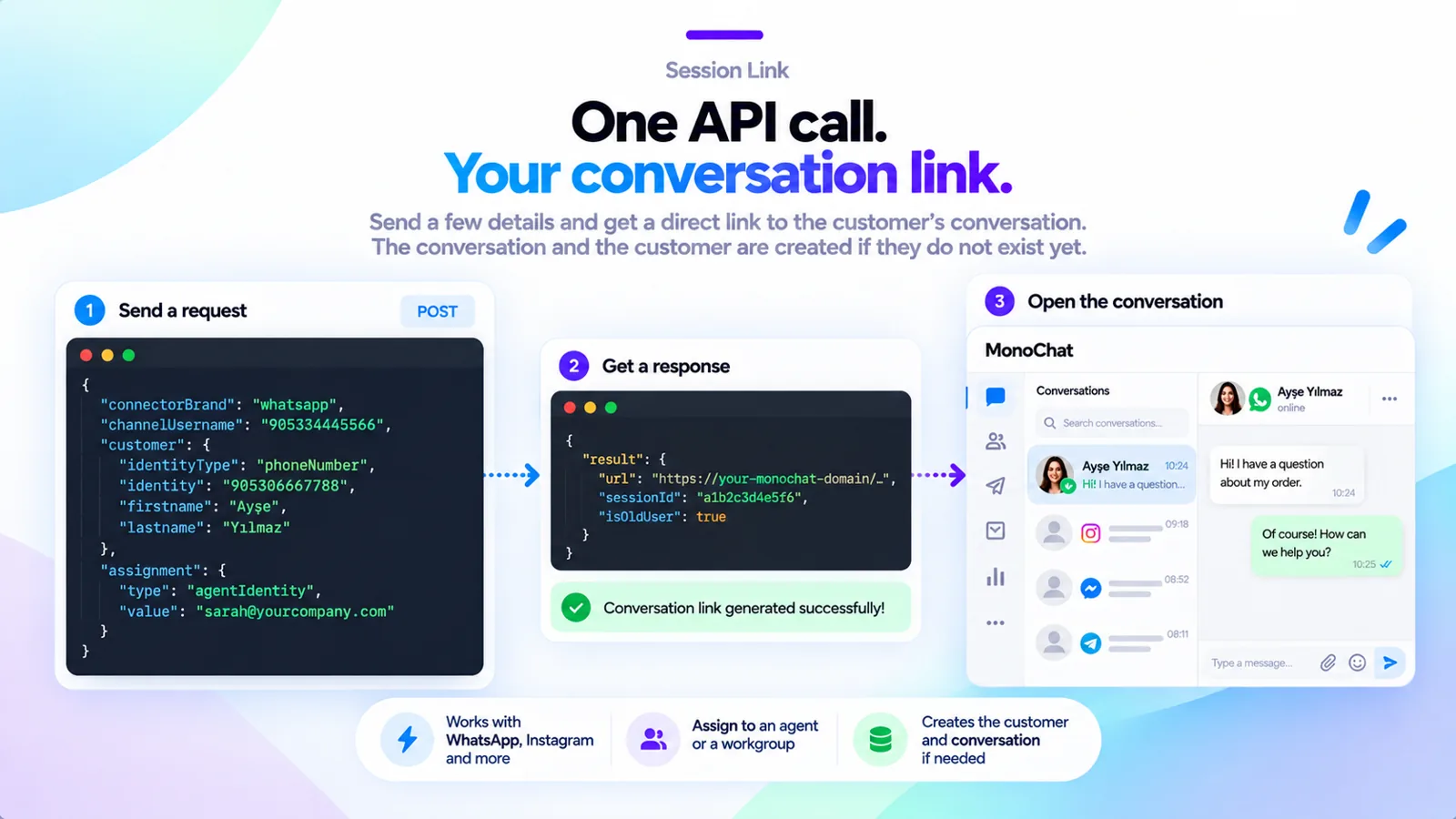 One API call returns the conversation link
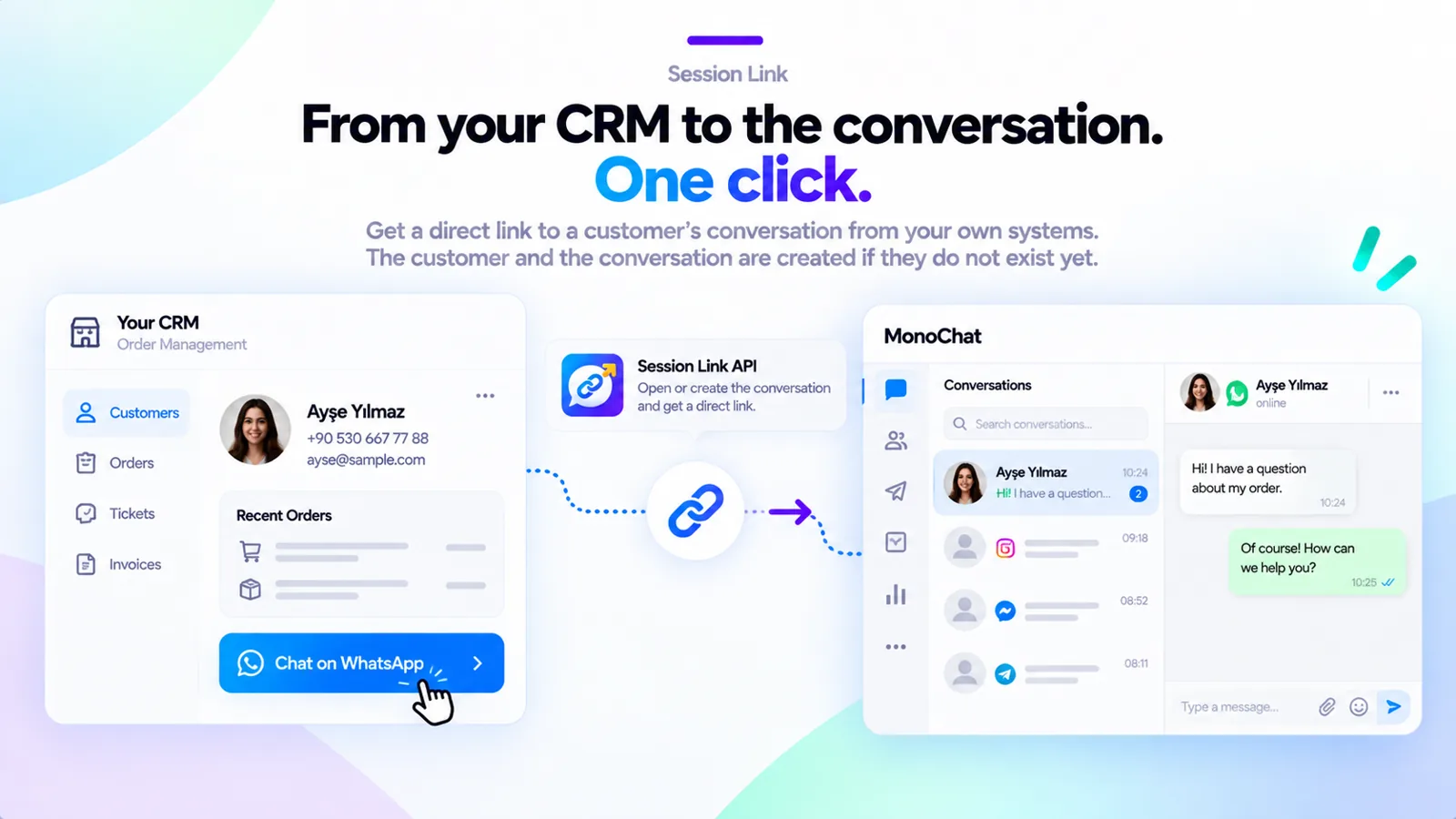 A “Chat on WhatsApp” button in a CRM opens the customer’s conversation in one click
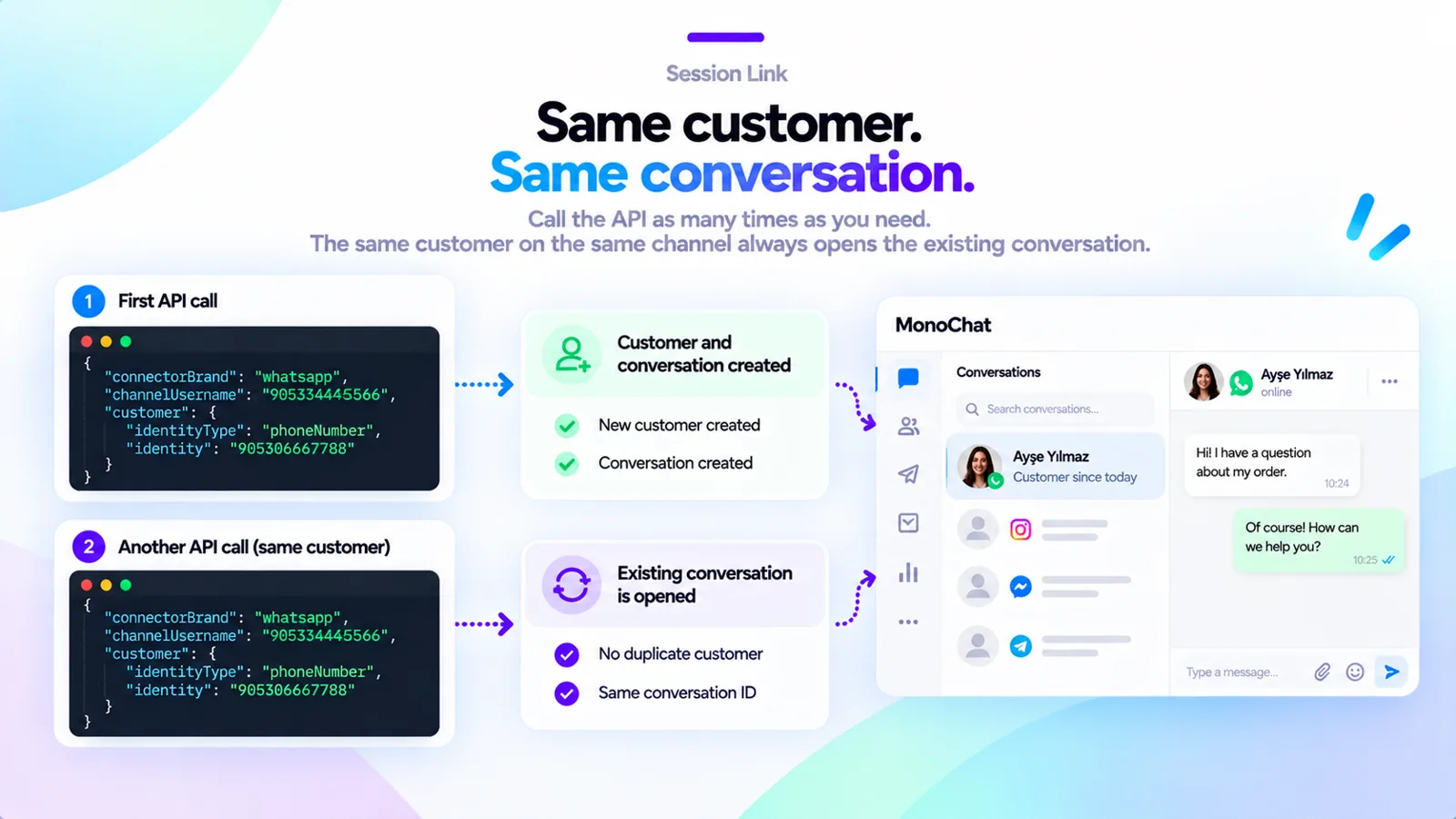 Calling the API again for the same customer opens the existing conversation
FAQ
Does Session Link send a message to the customer?
No. It only opens or creates the conversation and returns a link to it. To write to the customer first, use the WhatsApp Template API app.
Which channels does it work with?
WhatsApp, Instagram and the other channels connected to your MonoChat workspace. You name the channel type and your channel’s username in the request.
Will it create duplicate conversations?
No. The same customer on the same channel always gets the same conversation.
Who can open the link?
People who are signed in to MonoChat and allowed to see that conversation.