Ads Referral Report

See which ads and posts bring you messages: every chat started from a click-to-WhatsApp or Instagram ad, by ad, day and channel.
Overview
When a customer writes to you by clicking a Meta ad or post (click-to-WhatsApp, click-to-Instagram Direct), the message carries the ad it came from.
Ads Referral Report collects those messages so you can see which campaigns actually start conversations, and who wrote from each one.
Highlights
- Which ads start chats. Messages per ad, by the ad’s id and headline, from the most to the least.
- Every channel. Which of your numbers and accounts, and which channel types, receive the ad traffic.
- No extra setup. The report reads your workspace’s data; nothing needs to be set up.
Install and set up
- Install Ads Referral Report from Settings › MonoStore › Apps, or open the install link app.monochat.ai/apps/XjkzHYGEAMxaSAa5C. Without a MonoChat account, the link lets you sign up first and installs the app for you. There is nothing else to set up: the report reads your workspace's data.
- Go to Reports › Referral Message Report.
- Narrow the report with the filters: date range, ad (source id), channel type and channel.
- Match an ad's id with your Meta Ads Manager to see the campaign it belongs to.
Only messages that came with ad or post referral data from Meta are counted; customers who write without clicking an ad are not in the report.
Features
Daily trend
How many messages came from ads each day.
Best ads
Messages per ad, by the ad’s id and headline.
By channel
WhatsApp, Instagram and Messenger, and each of your numbers and accounts.
Every message
Customer name and phone or username, date, channel, the ad’s id, headline, type and link, and what the customer wrote.
Filters
Date range, ad (source id), channel type and channel.
Screenshots
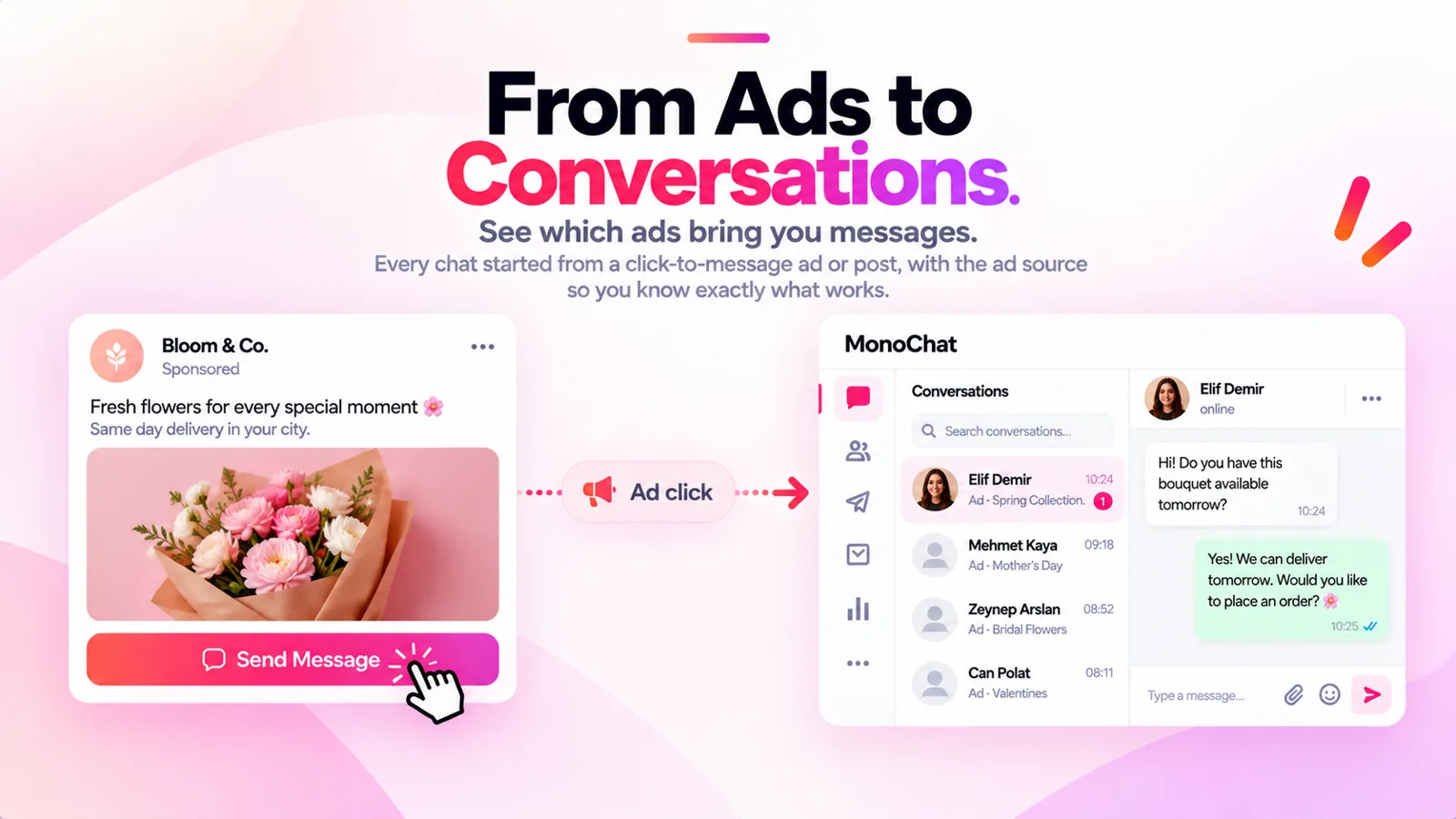 From an ad click to a conversation: a sponsored post opens a chat in MonoChat with its ad source
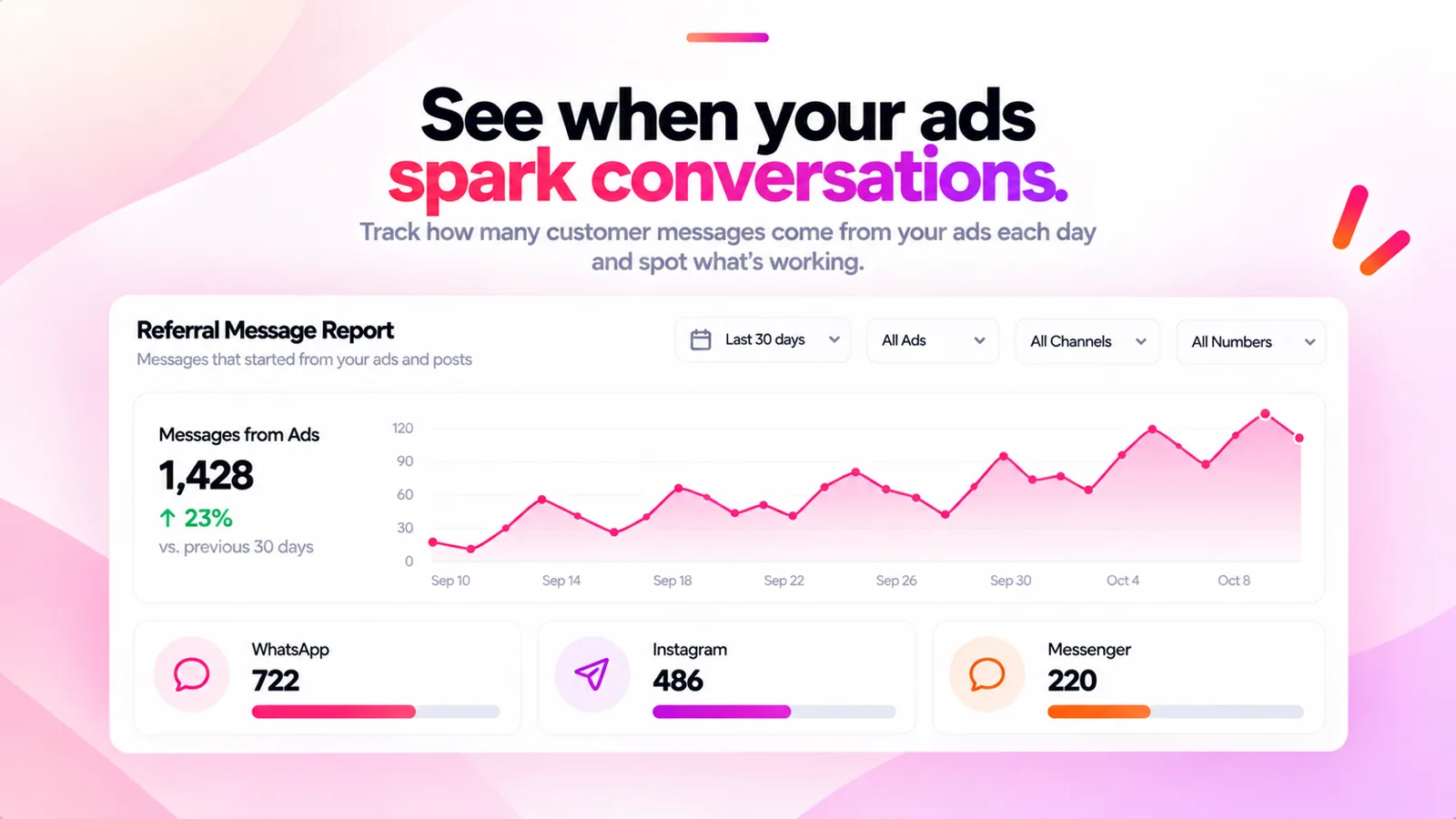 Daily trend of messages from ads, split by WhatsApp, Instagram and Messenger
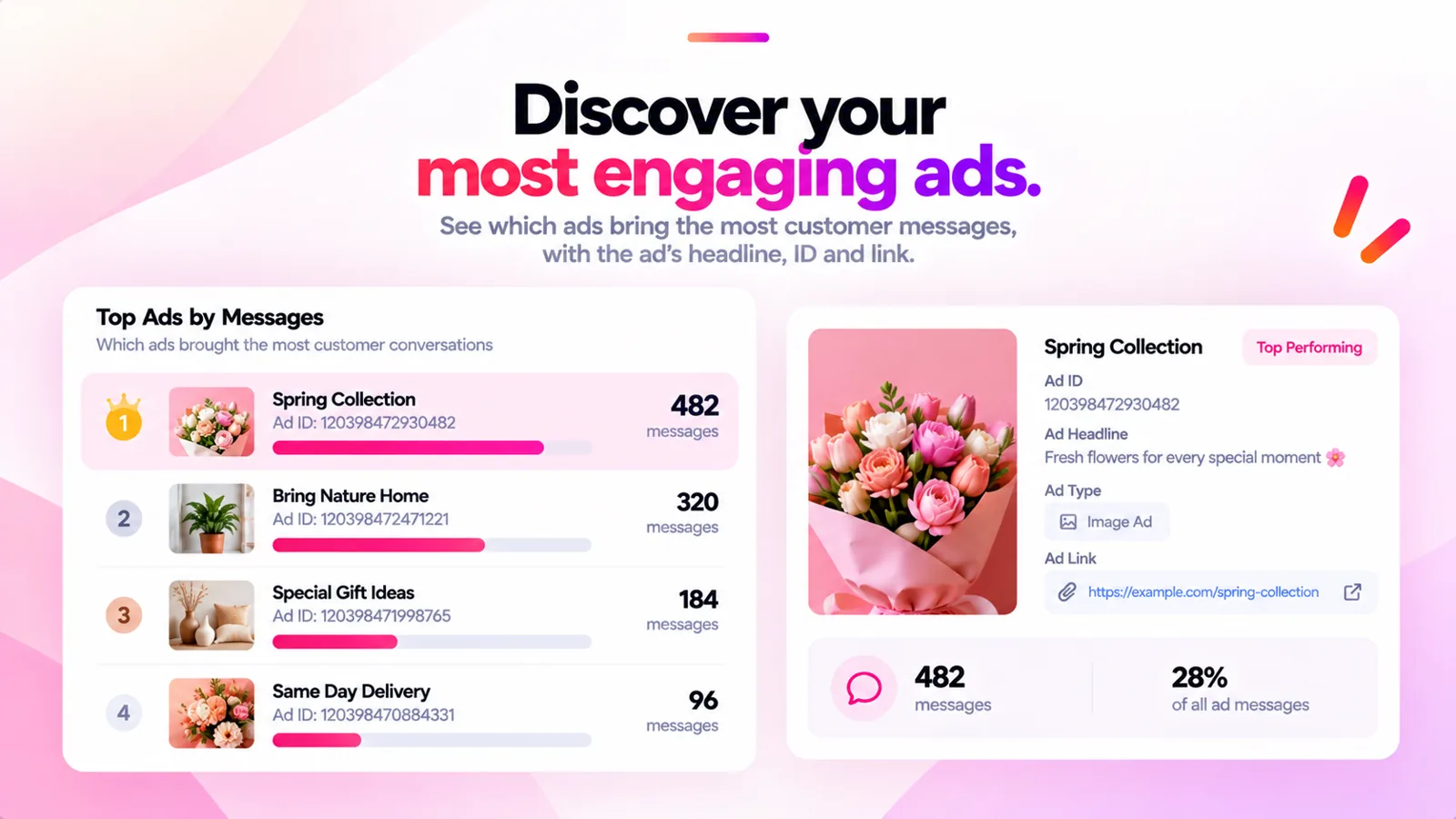 Top ads by messages with their ad id and headline
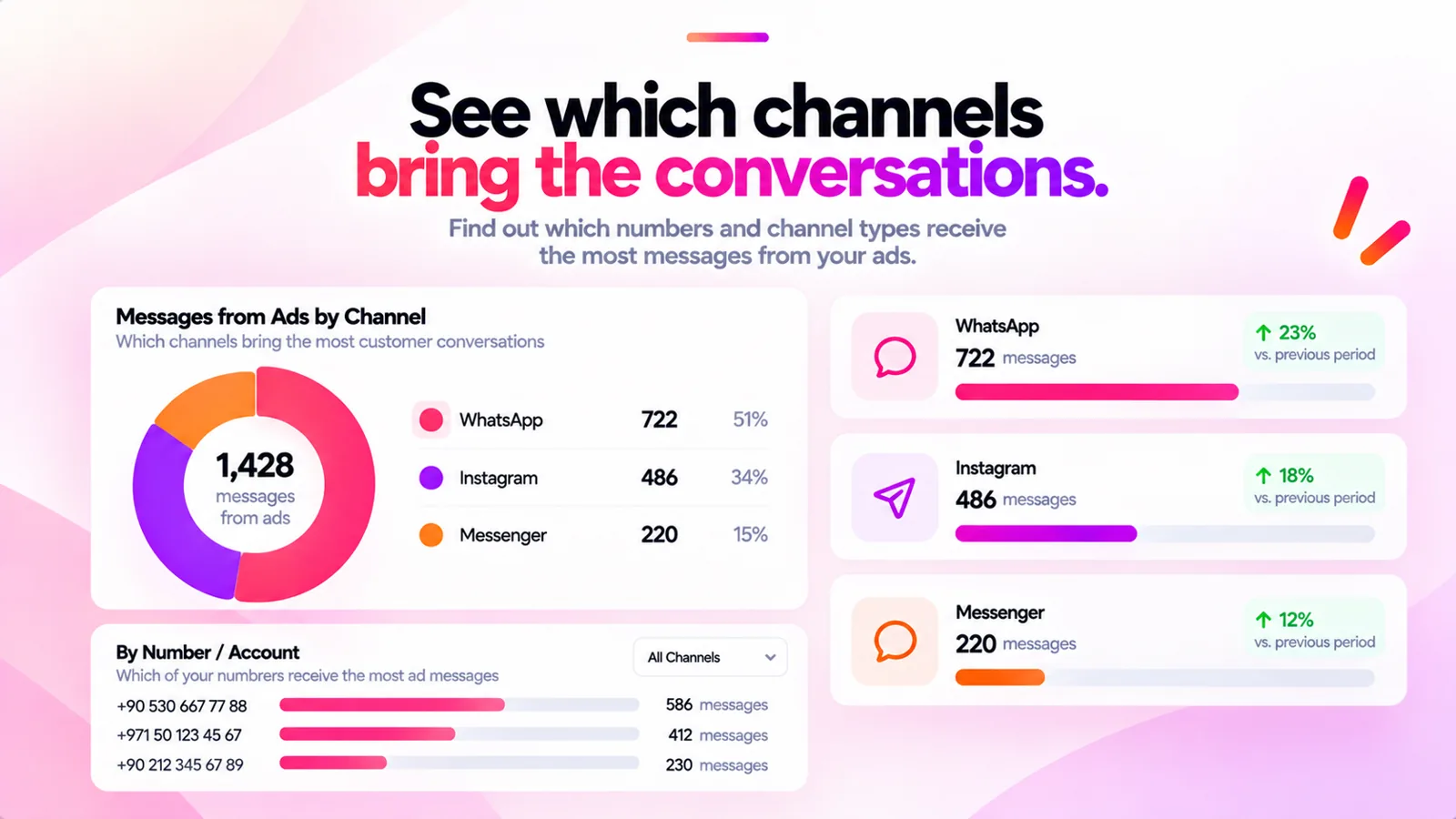 Messages from ads by channel and by number
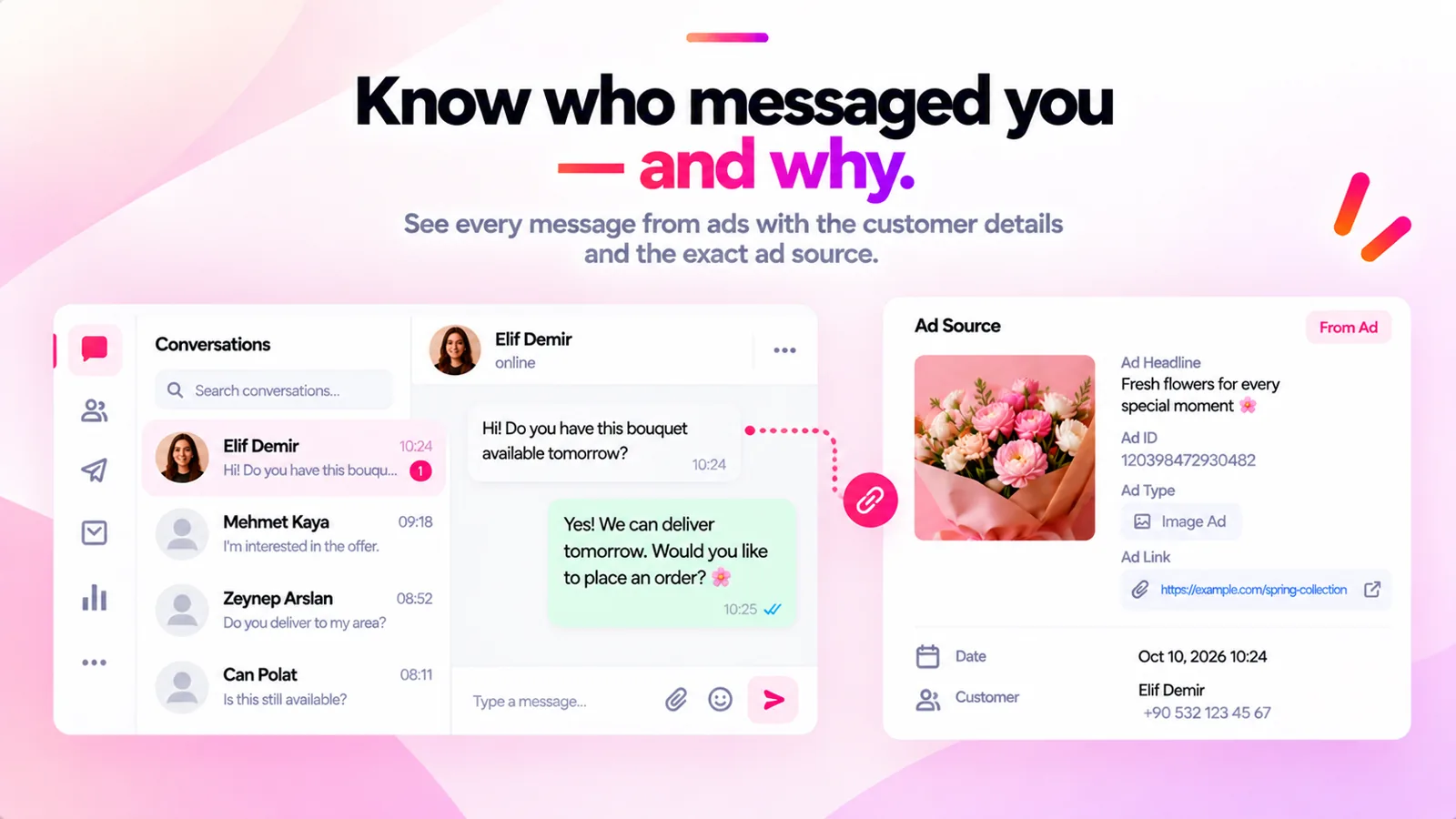 A conversation next to its ad source: headline, ad id, type and link
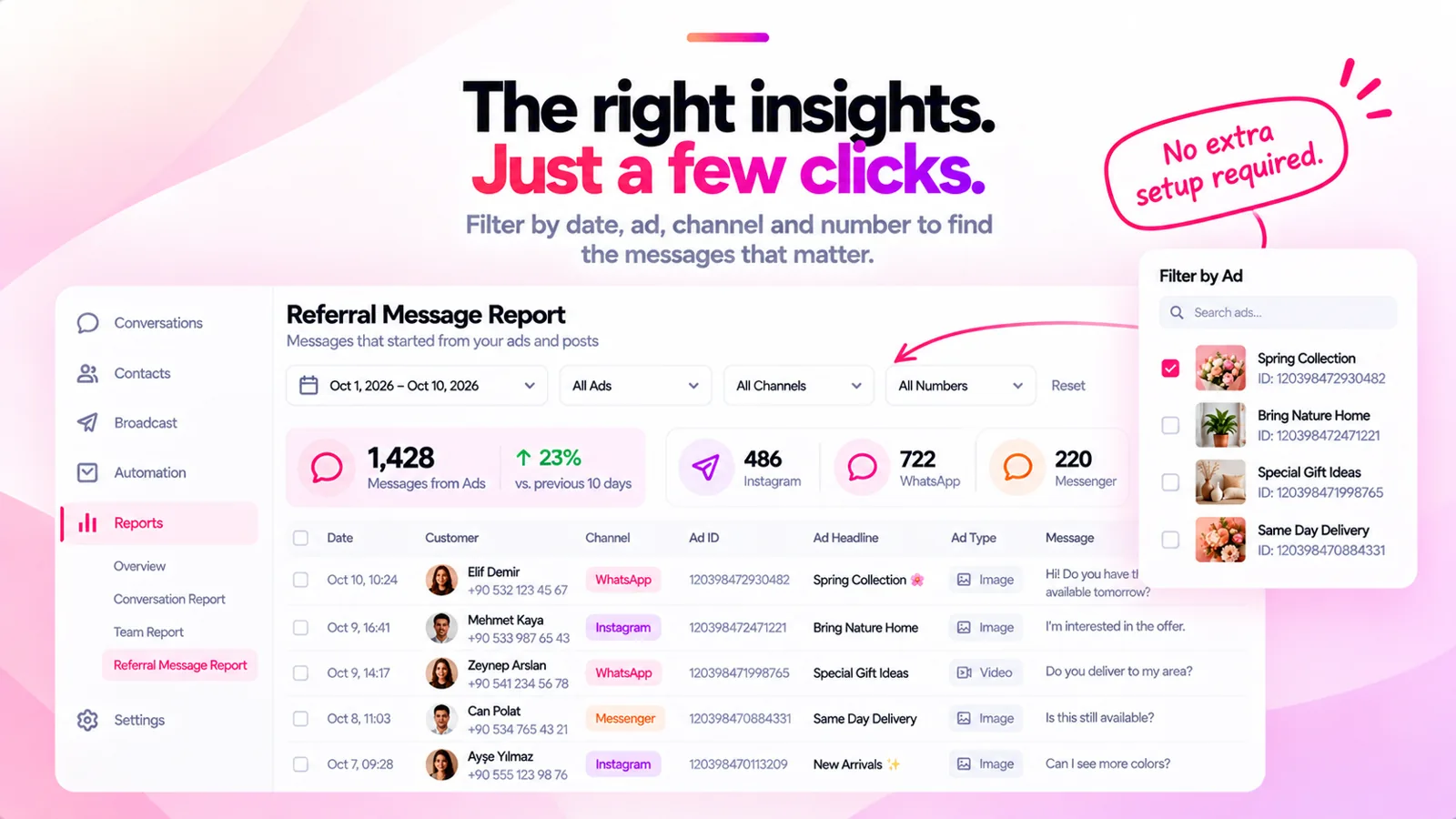 The Referral Message Report with filters by date, ad, channel and number
FAQ
Which messages are counted?
Only messages that came with ad or post referral data from Meta, such as click-to-WhatsApp and click-to-Instagram Direct ads. Customers who write without clicking an ad are not in the report.
Do I need to set anything up?
No. Install the app and open Reports › Referral Message Report; it reads your workspace’s data.
Can I see the campaign name?
The report shows the ad’s id and headline as Meta sends them. Match the id with your Ads Manager to see the campaign.
Which channels are included?
WhatsApp, Instagram and Messenger messages that started from an ad or post, broken down by each of your numbers and accounts.