Packages
The Packages page allows you to view and purchase additional message and development packages to support your organization’s extra needs. All previously purchased packages are also listed here, giving you full visibility into your add-on usage.
Why You Might Need a Package
- If your organization’s monthly message usage is higher than your plan includes.
- If you need additional development hours for custom views, flows, or integrations.
- If you want to avoid service interruptions by preparing for upcoming high-volume periods.
Packages provide flexibility and allow you to scale without upgrading your main subscription plan.
Viewing Packages
- Navigate to Billing:
- Go to Settings > Billing, then open the Packages tab.
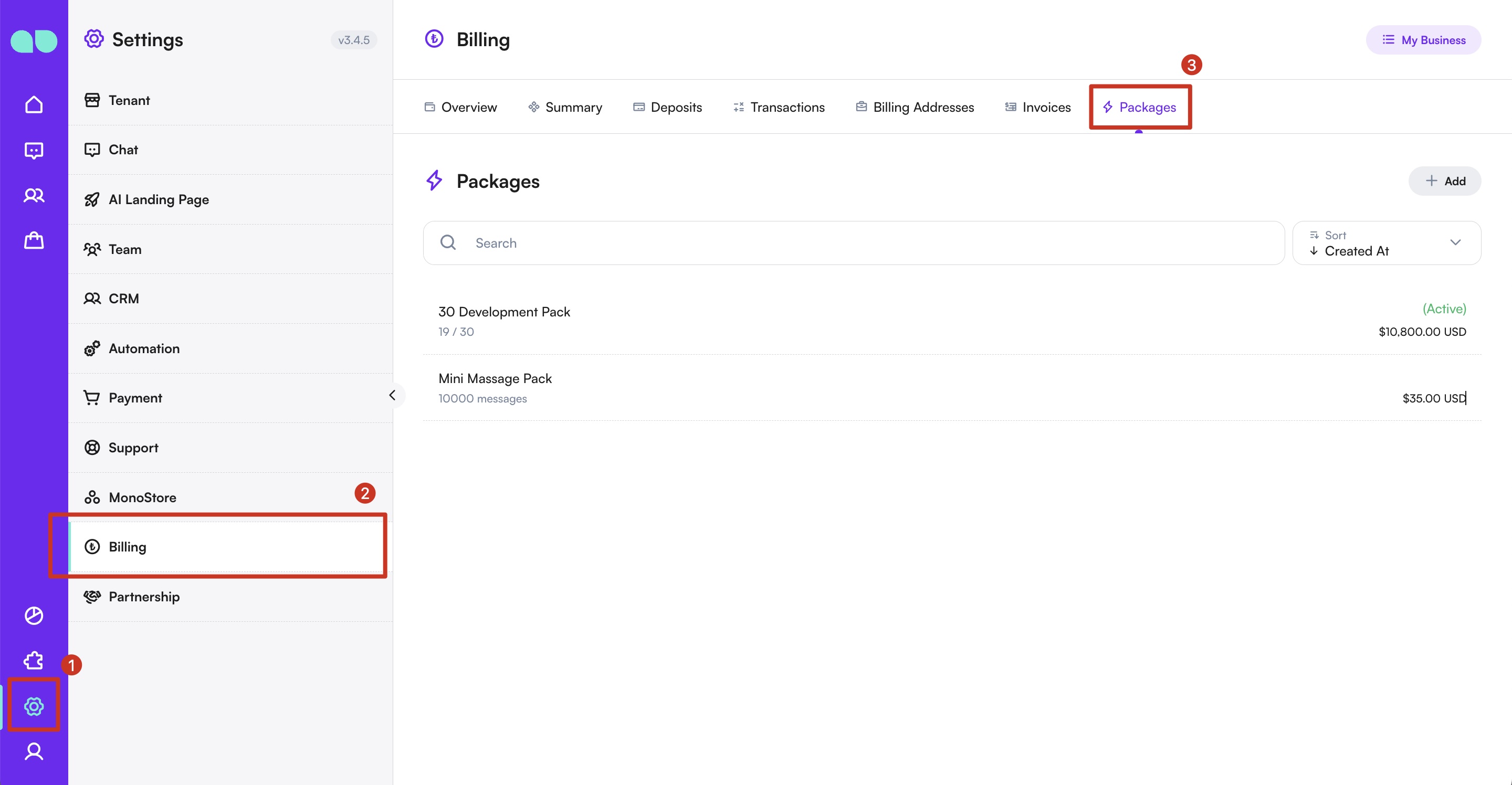
- Browse Packages:
- Click Add to see all available packages.
- Switch between Message Packages and Development Packages using the category selector.
Purchasing a Package
-
Select a Package:
- Choose the package you want from the list.
-
Buy the Package:
- Click Buy Now.
- The cost will be automatically deducted from your balance.
By using the Packages page, organizations can quickly scale their message volume, extend development capacity, and ensure uninterrupted use of MonoChat’s features.
For any issues or further assistance, please contact Support Team.