Projects
The Projects page allows you to manage all your development requests and ongoing projects in one place. Projects are created to fulfill your development needs, such as custom pages, integrations, or other development work. You can review, approve, or reject projects, and track their progress.
Viewing Projects
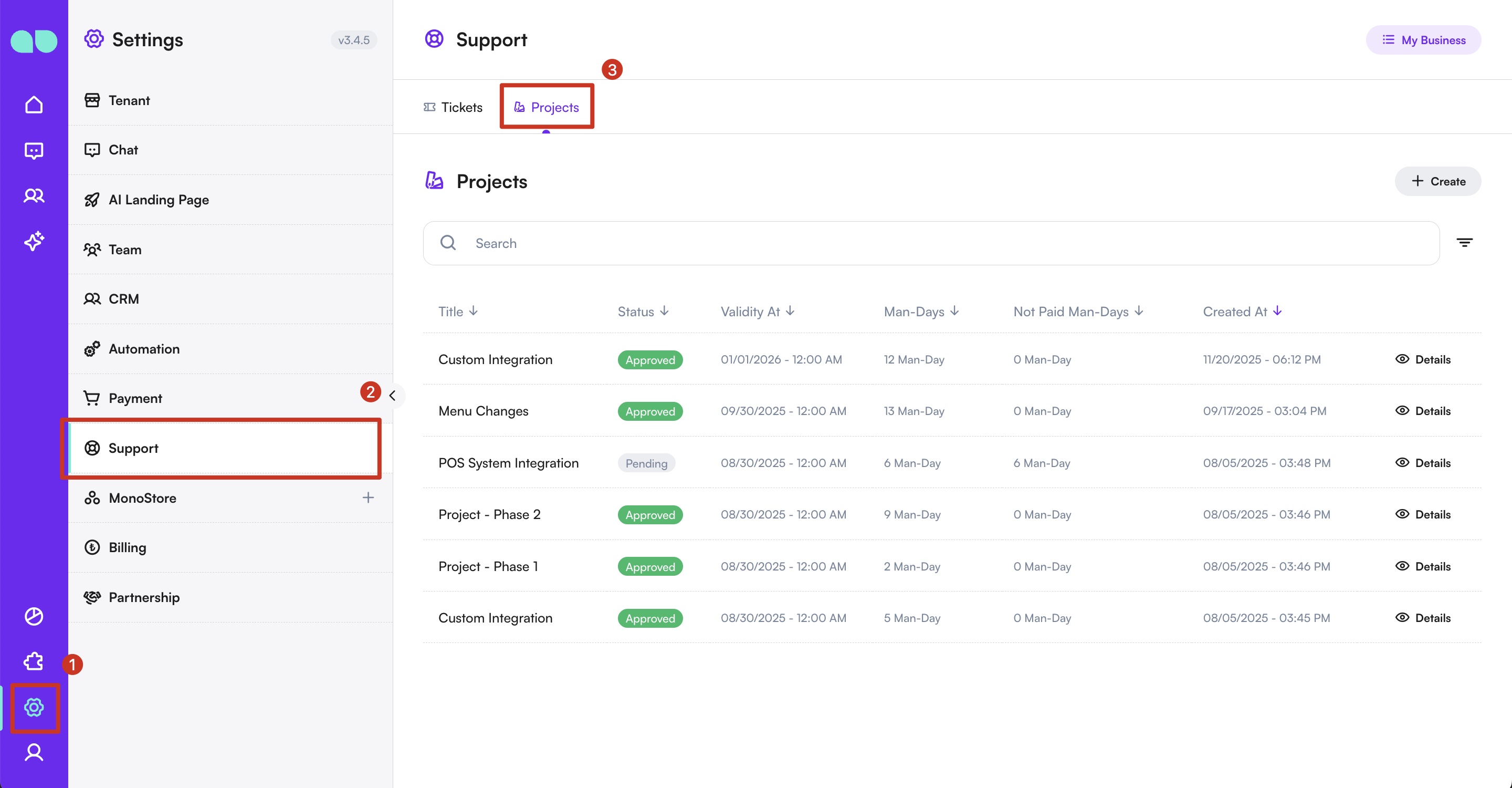
- Navigate to Projects:
- Go to Settings > Support > Projects.
- Here, you will see a list of all projects that have been previously created for your organization’s development needs.
-
Project Details:
- Click on a project to view its full details.
- Review the project description, requirements, and estimated man/day amount for completion.
-
Approving or Rejecting Projects:
- If the project meets your requirements, click Approve.
- Once approved, the corresponding man/day amount will be deducted from your balance or development package.
- If you do not want to proceed, click Reject to decline the project.
By using the Projects page, you can efficiently manage your development requests, approve necessary work, and track usage of your balance or development packages.
For any questions or assistance, contact our support team.