Garage Assistant

An AI front desk for car dealers and workshops that sends matching cars from your stock as WhatsApp cards, books test drives and service visits, takes part-exchange details, gets extra work approved with one tap, and sends a payment link when the car is ready.
Overview
Garage Assistant is the front desk of a car dealer, showroom or workshop on WhatsApp, Instagram and web chat. It works around the clock and answers in the customer’s own language, including voice messages.
It has two parts, and you switch each on or off. In the showroom it finds cars in your stock that fit what people ask for, books test drives, takes part-exchange details and gives example finance payments. In the workshop it books cars in, tells owners how their job is going, gets extra work approved with one tap, and sends the total and a payment link when the car is ready.
Whenever a person is needed, it hands over to your team.
Highlights
- Your stock as WhatsApp cards. New or used, make, model, body type, fuel, gearbox and budget are recorded as the customer says them. The best matches go out as cards with a photo, the price as you wrote it, year, mileage, fuel and gearbox, plus More photos and Book a test drive buttons.
- Extra work approved with one tap. Add quote lines to a job and ask for approval. The customer gets the list and total with Approve, Decline and Call me, and the answer appears on the job.
- Nothing invented. A car without a price is “price on request”, a car just over budget says so honestly, and the assistant never names a part-exchange value itself. Finance payments are clearly marked as examples, not offers.
Install and set up
- Install Garage Assistant from Settings › MonoStore › Apps, or open the install link app.monochat.ai/apps/PsGbjDW6m53iTCCdY. Without a MonoChat account, the link lets you sign up first and installs the app for you.
- Open the Get started tab on your MonoChat home page and choose Set up your business, then Set up the business. The form asks for What kind of business? (dealer with showroom and workshop, showroom with sales only, workshop or service centre, or tyre and quick-service centre; this switches car sales and the workshop on or off and sets the usual automatic messages), the Business name, phone, address, Brands you sell or service, Car listing sites you advertise on, How should test drives and service bookings be made? (the assistant takes a request your team confirms, or books a free time at once), currency, whether distances are in km or miles, time zone and your opening hours for each day (test drives and drop-offs are offered on these days). Tick Also load sample data so I can see it full if you want every screen filled with example records. Click Save and continue.
- Open Garage desk › Stock and add your cars with photos and prices. On the Workshop settings tab, set your drop-off times and Cars per drop-off time, add the services and prices the assistant may quote, and choose how the bill is paid. Check the Showroom, Automatic messages, How it talks and Handover tabs too.
- Open Garage desk in the left menu and click the green power button (Turn on) in the header. The Turn the assistant on drawer lists what is still missing (business name and currency, opening hours, sales or the workshop switched on, and at least one car in stock if sales are on) and what will start; switch Assistant answers customers on and confirm. The badge next to the title changes from Off to On. Only someone who can manage automations in the workspace sees the power button and can turn the assistant on or off.
- Choose Try it on your own phone on the Get started tab and message your own number the way a buyer or a car owner would.
- Each automatic message has its own switch, and WhatsApp templates are written and submitted on your number for you. Nothing goes out in quiet hours or to anyone who said stop.
- Campaigns go out a little at a time as approved WhatsApp marketing messages, are off by default and leave out people reached in the last 14 days.
- Screens are in English, Turkish, German, French, Arabic, Indonesian and Vietnamese; automatic messages also in Romanian. The assistant answers in the language each customer writes in.
Features
Test drives
Requests a salesperson confirms with one tap, or instant booking of a free time within your opening hours. A reminder the evening before, then Interested, Still thinking or Not for me afterwards. Interest reaches the salesperson as an urgent note.
Part-exchange and finance
Make, model, year, mileage, condition and photos of the customer’s car are recorded for your valuation. From your rate, minimum deposit and terms, the assistant works out an example monthly payment.
Sales leads
Leads move through New, Qualified, Test drive, Offer and Won or Lost, and can be given to your salespeople in turn. A stock reference quoted from an ad or a listing site is looked up straight away.
Workshop booking
Drop-off times come from your hours and how many cars you take at once. A booking can be confirmed by an advisor or taken instantly, and customers can send photos of the problem.
Job updates
Checked in, in progress, waiting for parts, quality check, ready and delivered: the owner hears about each stage, with the “ready by” time you promise.
Car ready and payment
The ready message shows the total with Pay now. With a payment integration it sends a payment link, the job is marked paid by itself and a receipt goes out; without one, your payment instructions are sent.
Service history and parts
Every delivered job is kept on the car, and owners are invited to book before the next service is due. A simple parts shelf with minimum stock is updated from delivered jobs.
Ratings, campaigns and reports
A rating after the visit (Great, Okay or Not happy) leads happy customers to your review link; lower ratings are noted for your team. Campaigns to car owners or buyers are off by default. Reports cover buyers by source, workshop jobs, approvals, money collected, ratings and campaign replies over 30 days.
Screenshots
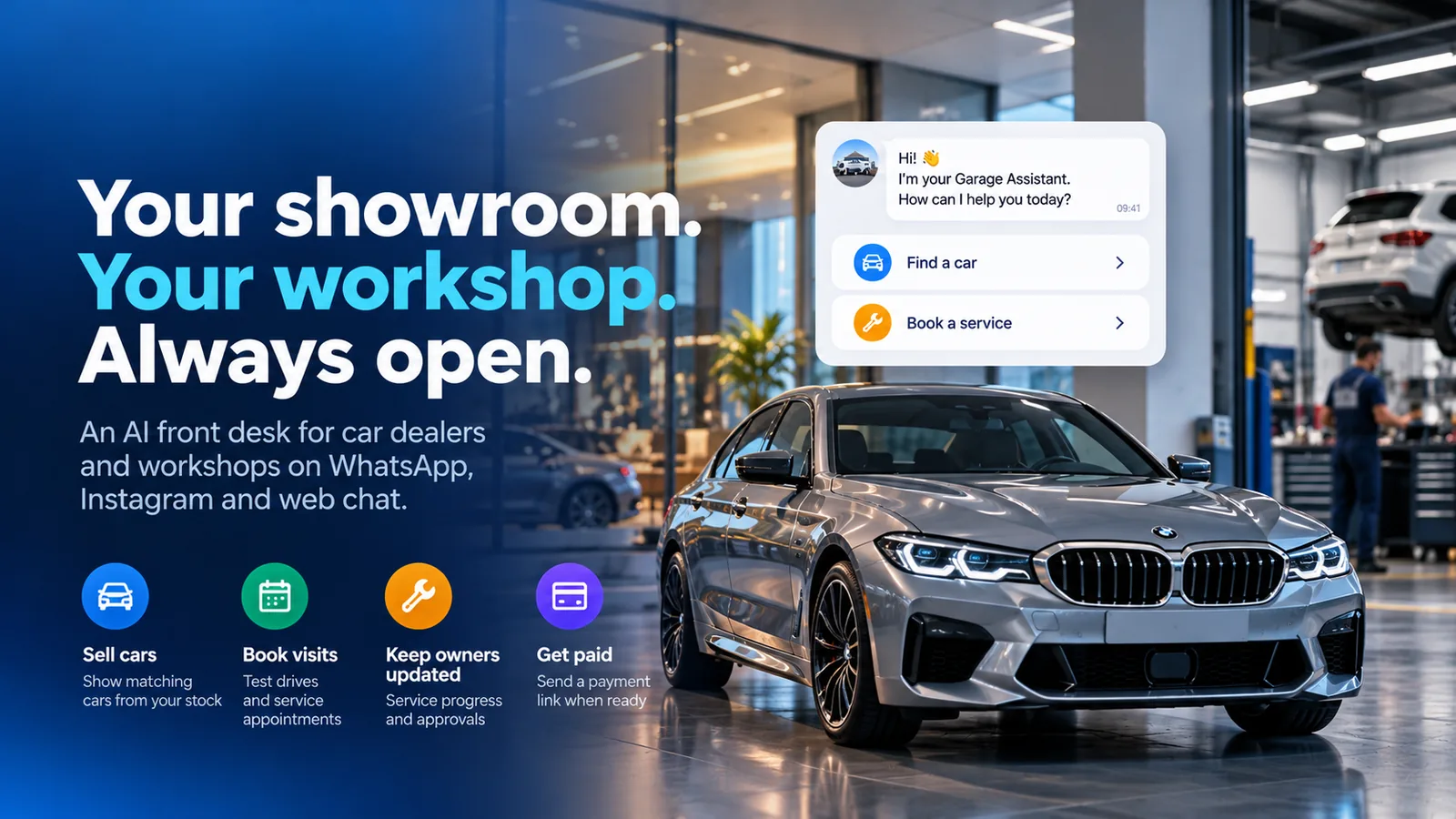 Garage Assistant greeting a customer with Find a car and Book a service
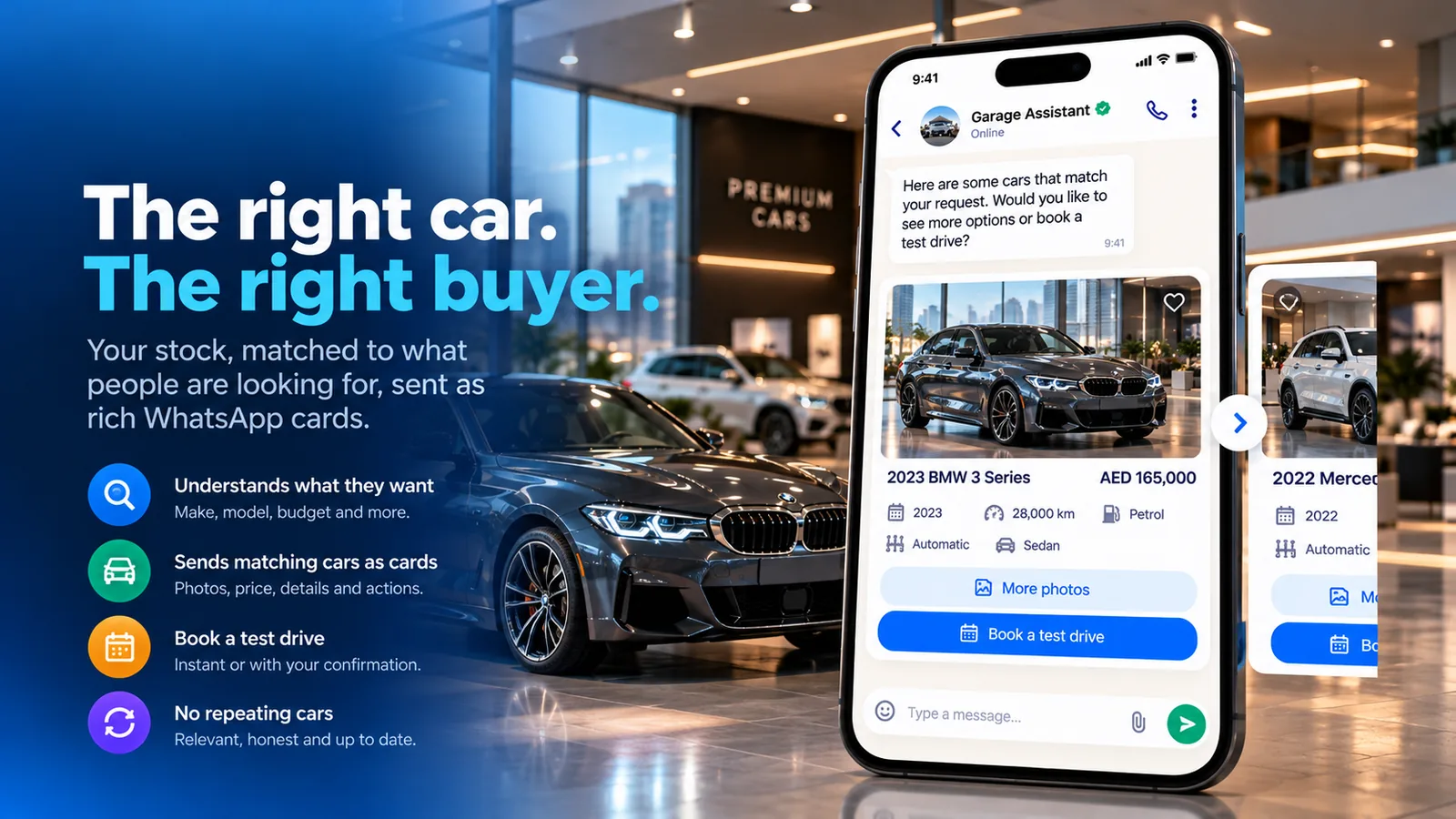 Matching cars from stock sent as WhatsApp cards with More photos and Book a test drive
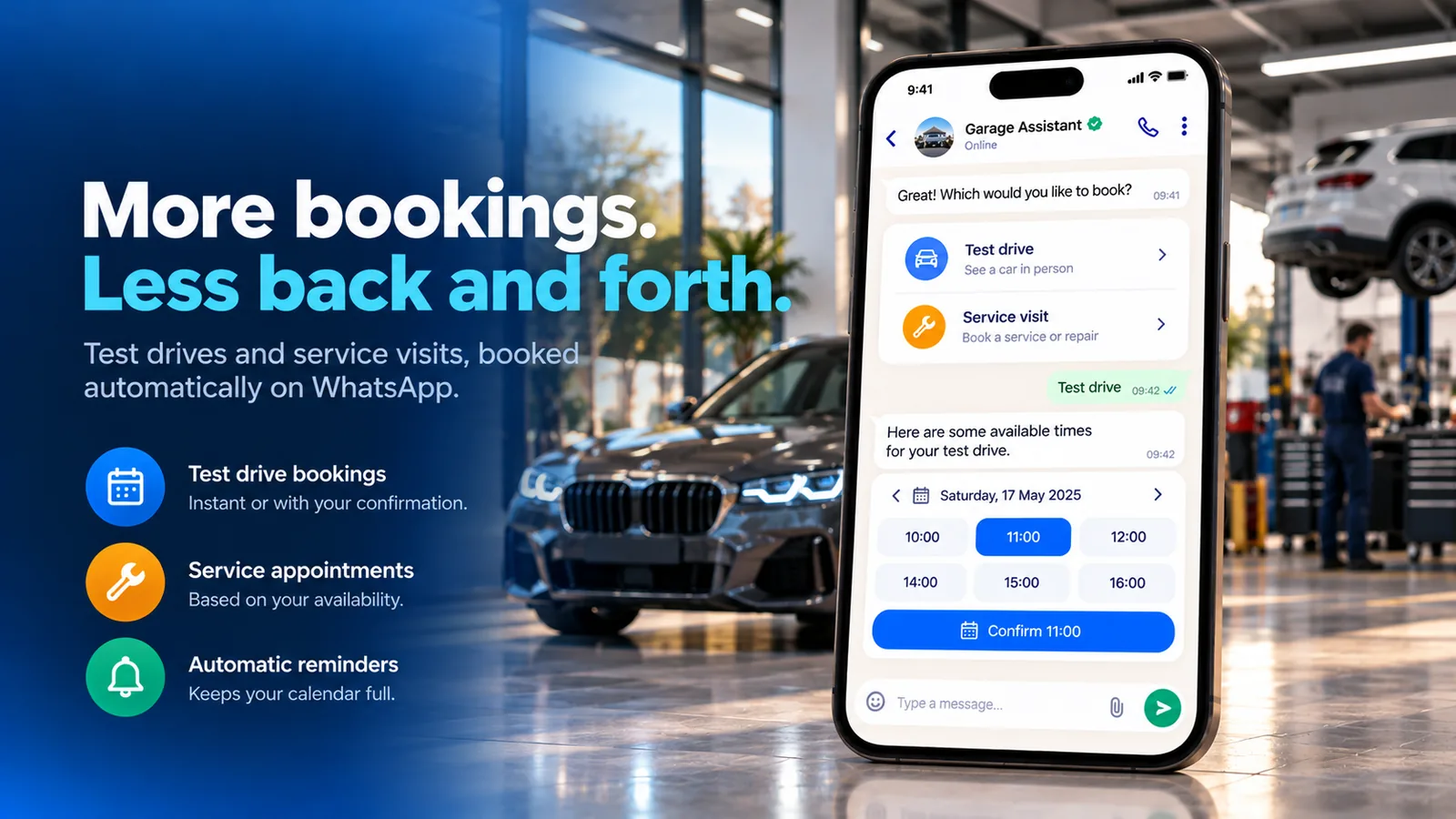 Booking a test drive or a service visit in the chat with available times
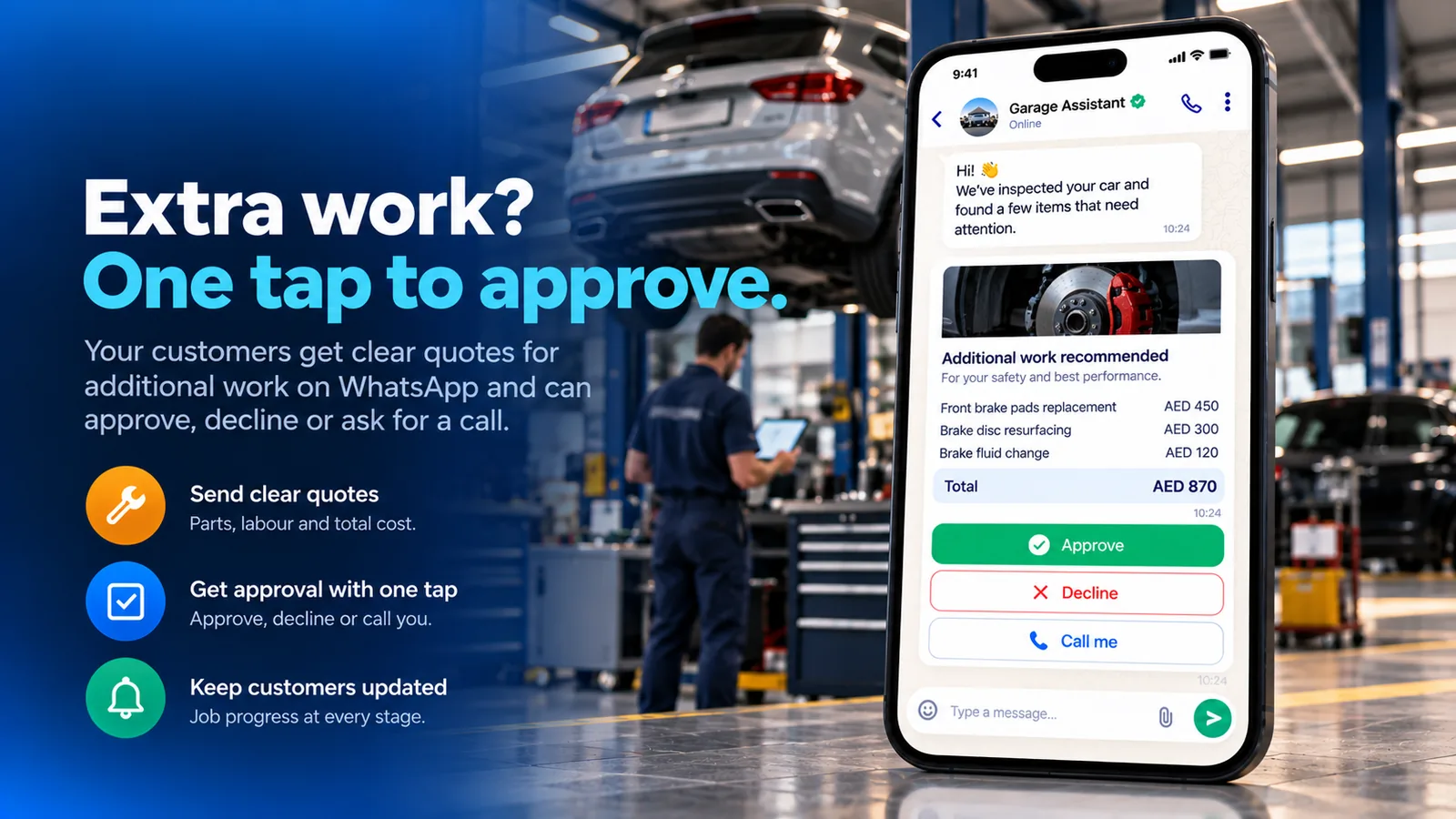 Extra work quote with Approve, Decline and Call me buttons
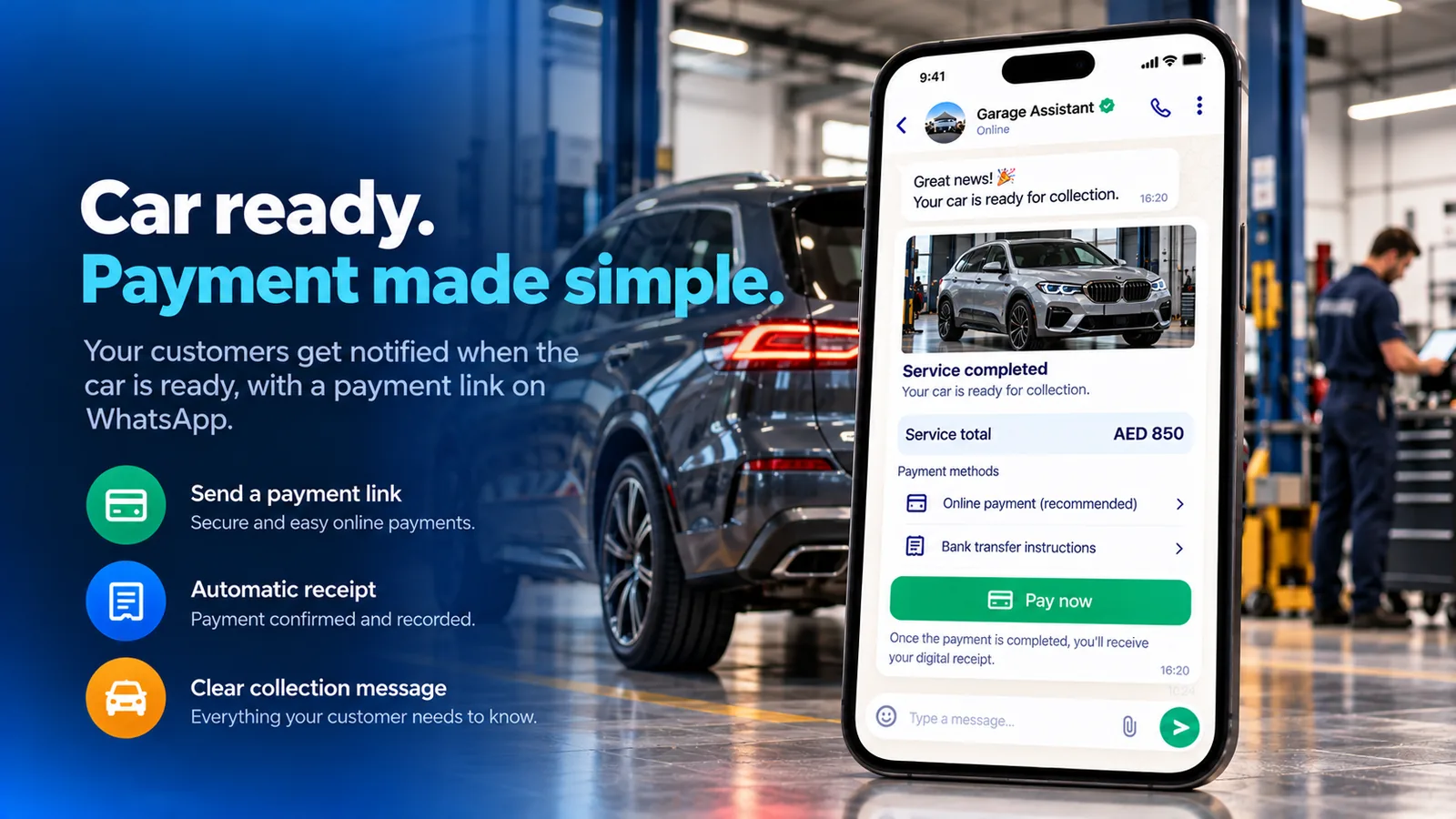 Car ready message with the service total and Pay now
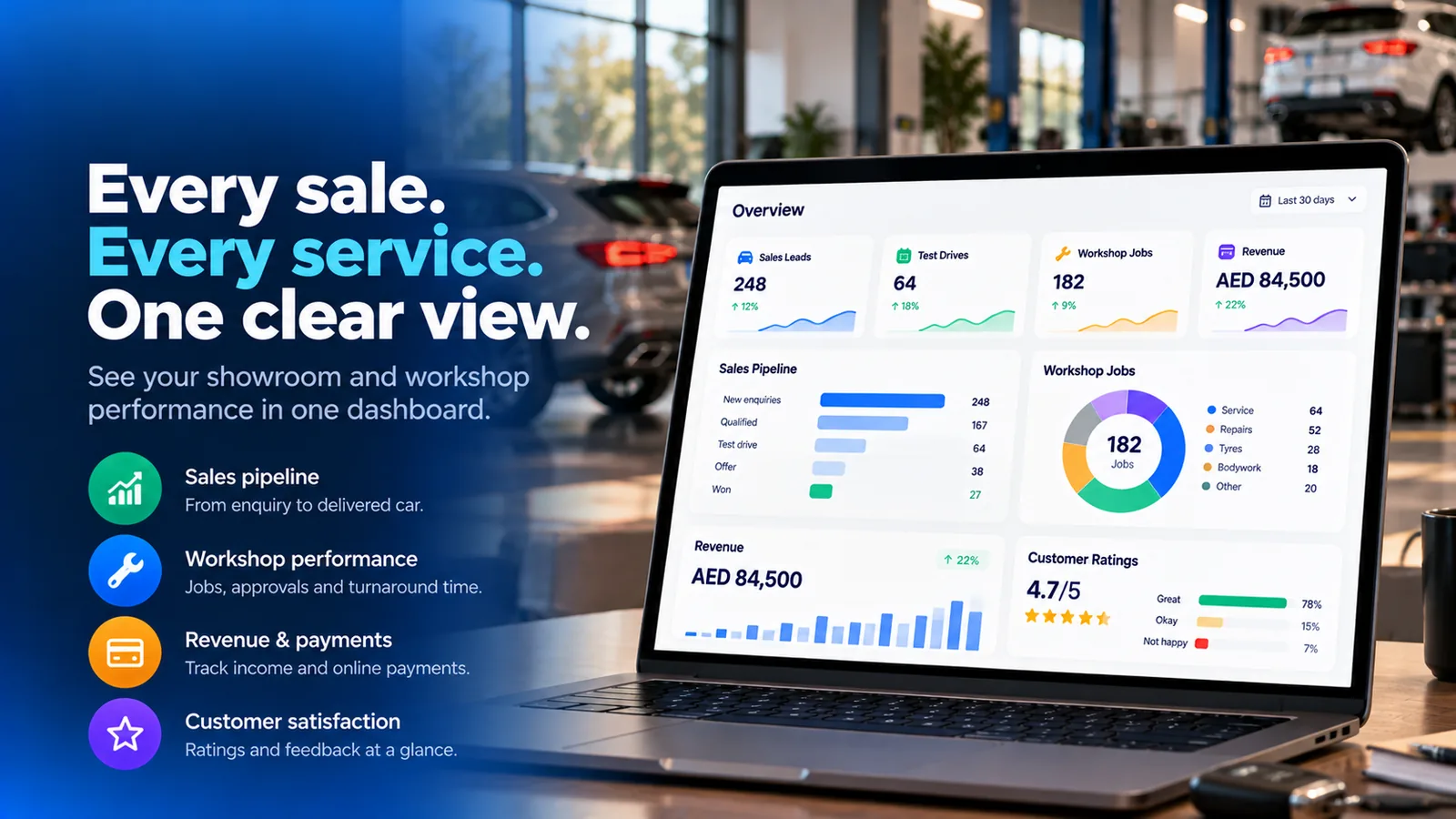 Overview of sales leads, test drives, workshop jobs, revenue and ratings
FAQ
Which businesses is it for?
Car dealers, showrooms and workshops. It has a showroom part and a workshop part, and you switch each on or off.
How does it pick which cars to send?
It records new or used, make, model, body type, fuel, gearbox and budget as the customer says them, and sends the best matches from your stock as cards. On WhatsApp, several cars arrive as a swipeable carousel.
Does it value part-exchange cars or offer finance?
No valuation: it records the customer’s car details and photos for your team to value. It can work out an example monthly payment from your rate, deposit and terms, clearly marked as an example, not an offer.
How does extra work get approved?
You add quote lines to the job and ask for approval. The customer gets the list and total on WhatsApp with Approve, Decline and Call me, and the answer appears on the job.
Can customers pay when the car is ready?
Yes. The ready message shows the total with Pay now. With a payment integration it sends a payment link and marks the job paid; without one, your payment instructions are sent.
Which channels and languages does it support?
WhatsApp, Instagram and web chat, around the clock, in the customer’s own language, including voice messages.